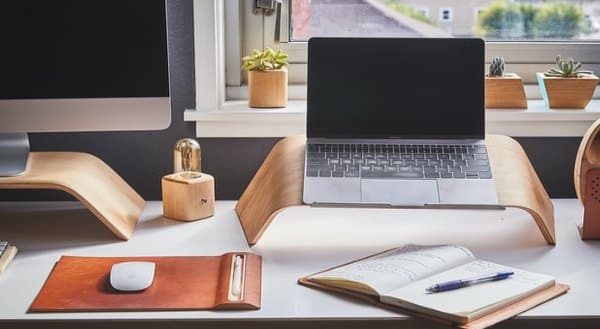
Set up your home office electronics correctly

Working from home is becoming more common amongst businesses as they begin to adapt to changes in work culture. Saving employees time and money by avoiding the daily commute to work, plus flexibility in work hours, working from home offers a range of benefits.

However, bringing the office home means setting up devices and electronics. From your keyboard to your mouse, additional monitors, and perhaps even a second computer, you could end up with a birds nest of cables and an overloaded power outlet.

To help you avoid catastrophe, we’ve rounded up some handy tips on how to set up home office electronics correctly. Learn how to connect your devices properly, discover office desk ergonomics, plus all the best cable organiser tips and tricks with Smoothmoves.

Don’t Overload The System

If anyone knows how to set up home office electronics correctly, it will be the Electrical Safety Foundation International or ESFI. Promoting electrical safety across North America since 1994, this non-profit has a power strip worth of advice for your home office.

  • Avoid overloading outlets. Furthermore, use power strips intelligently.
  • Unplug appliances when not in use to save energy and minimise the risk of shock or fire.
  • Regularly inspect electrical cords and extension cords for damage.
  • You should only use extension cords temporarily.
  • Never plug a space heater or fan into an extension cord or power strip.
  • Never run cables under rugs/carpets, doors, or windows.
  • Make sure wires do not become tripping hazards.
  • Keep papers and other potential combustibles at least 1 metre away from space heaters and other heat sources.
  • Do not exceed the maximum wattage for lamps/lighting.
  • Test smoke alarms monthly. Change batteries yearly.  Replace smoke alarms every ten years.

The Cable Organiser

Cable management is an underrated aspect of home office ergonomics. Both a method for organising your power outlet and removing unsightly cables for view, cable management can significantly improve both the look and feel of your home office space. Consider investing some time in planning the installation of your home electronics to avoid cable clutter by using cable ties and cable organiser tools like cable boxes.

How To Set Up A Second Monitor Without Cable Clutter

One of the most common sources of cable clutter is from plugging in an external monitor. External monitors usually require a power cable, a display cable and a data cable, with the last two connected to your computer.

Firstly, plug in the power cable to the monitor, and bundle it together with your computers power cable with cable ties or inside a cable sleeve. Then, plug both into your power outlet. If you’re using a power strip, consider putting it inside a cable box for a clean look.

Secondly, connect the display cable from your monitor to your computer. Depending on your computer or monitor, you’ll likely be using one of three connection types. HDMI, DisplayPort and USB-C. If your external monitor supports USB-C, you may be able to power your computer through your monitor in addition to data transfer, leaving you with one less cable.

Thirdly, connect the data cable from your monitor to your computer. This cable will come packaged with your monitor if it has any USB ports. Bundle the data and display cable with cable ties or inside a cable sleeve. If there are none, skip this step.

Finally, position the external monitor so that the top half of the display is slightly above your eye level and at fingertips reach, or roughly 51cm from your sitting position to limit eye fatigue.

Software is your Friend

Beyond the hardware in your physical workspace, your home office relies heavily on the software that you use. Much like our electronics experts, the IT Support team over at ADITS are masters of software and digitally optimising your home office environment. While there’s no way to know what kind of software or applications every worker is using, there are some general tips that can make a significant difference to your productivity.

  • Keep software up to date.
  • Schedule updates for after-work hours
  • Leverage browser extensions.
  • Use private browsing and incognito mode for different results.
  • Implement email rules to organise your inbox.
  • Use window snapping for open applications.
  • Adopt a clipboard manager.
  • Learn application keyboard shortcuts.
  • Reduce the number of programs running on startup.
  • Back up your files locally and in the cloud.

Professional Home Organising Services

If you need some help getting your home office setup ready to go, then you might want to think about giving Smoothmoves a call. Alongside a lightning-fast removalist service, we provide professional home organising services in Sydney, offering hands-on assistance to create immediate changes to your home office and transform the tired, redundant areas around your home into workable and organised environments.


From furniture ergonomics to decluttering and even removing unwanted items, Smoothmoves is your top choice for professional home organisation in Brisbane, Townsville, and beyond. Transform your space and create the perfect ergonomic home office setup today with Smoothmoves!

Working from home: Keep your Team Connected


After completing an audit on 2020, we have come to the conclusion that this version has a virus and we would like to uninstall it. I.T jokes aside, we are current living in a time of change and uncertainty, with many of our lives completely upended and many now working from home. For those that Scott Morrison (Scomo, for the ‘cool corporates’ of the world) calls ‘essential’, we continue to battle the 9 to 5 grind, with many of us working from home for the first time. Although grateful for the continued work, the unique circumstances can be hard to navigate, with the recommended isolation having side effects of loneliness. We are here to provide you with the top tips to support you and your employees in tackling working from home.

Maintain a work-life balance

Although the lack of commute is a welcomed benefit, it can be hard to switch into work mode when you don’t physically travel to work. We recommend setting up a designated workstation, utilising the same routine of ‘arriving’ and ‘leaving’ your office. You should support your employees in doing this, keeping work-related conversations inside of work hours.

Communication is key

Mass media speculation is making it difficult to sift through the facts and falsehoods of the current situation. To combat this, we have set up management meeting rhythms in line with those of the National Cabinet. Then, formal communication is distributed amongst our Team to ensure everyone is fully informed on the impact these changes will have.

Praise each other

Although we love a bit of self-confidence, high fiving yourself about an excellent spreadsheet just doesn’t feel the same… Validation and reassurance from your Manager or colleagues goes a long way. Be sure to continue checking in with your Team and letting them know they are appreciated.

Tech is your friend. Use it

The world is becoming smaller as the digital age continues to evolve; use this to your advantage. Do you usually have lunch as a team? Have after work drinks become a ritual? Is a chat over coffee compulsory? All rituals can still be completed through Microsoft Teams, Zoom, or whichever program you utilise in your workplace. Make time to take time with your Team; it will be appreciated, trust us. Whether you’re in Brisbane, Townsville, or beyond, make time to connect with your team; it will be appreciated—trust us!

We sincerely hope these tips help you to work from home with sanity.
Take care and stay safe.

Work from Home: Enhanced with IT

Hi – Joe Average here! The Tech Team at ADITS have been inundated with requests regarding their I.T. when working from home.  So take a seat, slap on the hand sany and get ready for my top tips on how I.T. can enhance your new work from home environment.

Communication & Social Connections

As an extreme extrovert, it saddens me that the only human interaction I’ve had this week was a horrified glare I received as I stifled a cough. In a time full of change and uncertainty, communication and connection is crucial. We recommend tools such as Microsoft Teams and Skype for Business to boost team morale and stay informed as you work from home.

Productivity & Accountability

Your home’s heat map may show a much greater frequency of trips to the pantry and couch, than to your desk. Maintaining productivity and holding yourself and your team accountable can be difficult, but not impossible. We recommend utilising tools such as Microsoft Planner or OneNote for goal setting and workday planning. We also recommend setting up boobytraps in the kitchen for those that are on the same ‘sea food’ diet as me…

Remote access and support

ADITS has been practicing social distancing since 2006 with our Helpdesk providing remote support to all customers, no matter whether you work from home, in the office, or around the world. Your IT advisor should also provide you with accessibility options on your device, ensuring a seamless transition between work environments.

Security

Working from home can be high risk, requiring a better security blanket than 100 rolls of toilet paper.  We recommend your trusted IT advisor provides you with a clear set of security practices, inclusive of password, virtual private networks (VPN’s) and device safety guidelines.

So, there you have it! My top tips on how IT can make working from home a breeze. For questions, concerns and smart remarks, call my knowledgeable tech mates at ADITS on 1300 361 984 or email at enquiries@adits.com.au. Whether you’re in Brisbane, Townsville, or beyond, we’re here to help!
Take care and stay safe, 
Cheers!

Working from home: Continue scaling your business

Coronavirus really is the talk of the town. The best way to describe how its antics have impacted upon business is change. Many employers are now working from home for the first time; many are no longer working at all. No matter how you have been impacted, we have listed a variety of ways that you can continue to grow your business in the current climate.

Upskill

The importance of technology and utilising online platforms is being realised now more than ever. This also means that some learning opportunities are now accessible online, which are usually only offered in a face-to-face format. It is important that decision makers take advantage of the opportunity to upskill both themselves and their employees whilst working from home. Remember, soft skills are just as important as hard skills and are often overlooked. This might be the time to change that.

Update

I can guarantee that there are processes in your business that haven’t been updated since dinosaurs roamed the Earth. Take advantage of the time you may now have and look for opportunities to improve.
Additionally, it can be predicted that the current climate will significantly change the way we work, with many now working from home. It is important to update what ‘normality’ will look like for your business and your employees on the other side of COVID-19.

Pivot

‘A pivot is a change in strategy, without a change in vision’ – Eric Ries. Look into opportunities to either expand your offering, update it, or change your offering completely. For example, YouTuber, Joe Wicks has pivoted to provide home-based workouts for children and seniors to keep people active whilst isolating. From this, he has seen 1.4million new subscribers in three weeks. Continue to adapt to change and align your offering with the current climate.

Plan

So often people are spending time working in their business and not on their business. Use the time that you may now have to do the latter. Processes taking too long? Streamline them. Not happy with the service from one of your providers? Find a better alternative. Take your plans off the back burner and get stuck in.

So there you have it: our top tips on growing your business in isolation. If I.T. changes are on the cards, we are only too happy to take it off your plate and support you in achieving your mission.