What Is a Password Manager and Is It Really Safe?

How many accounts do you have require using a password?

Think of your email (sometimes multiple addresses), social media (too many channels), productivity platform at work, banking and finance, shopping, streaming, entertainment, gaming, education – the list goes on.

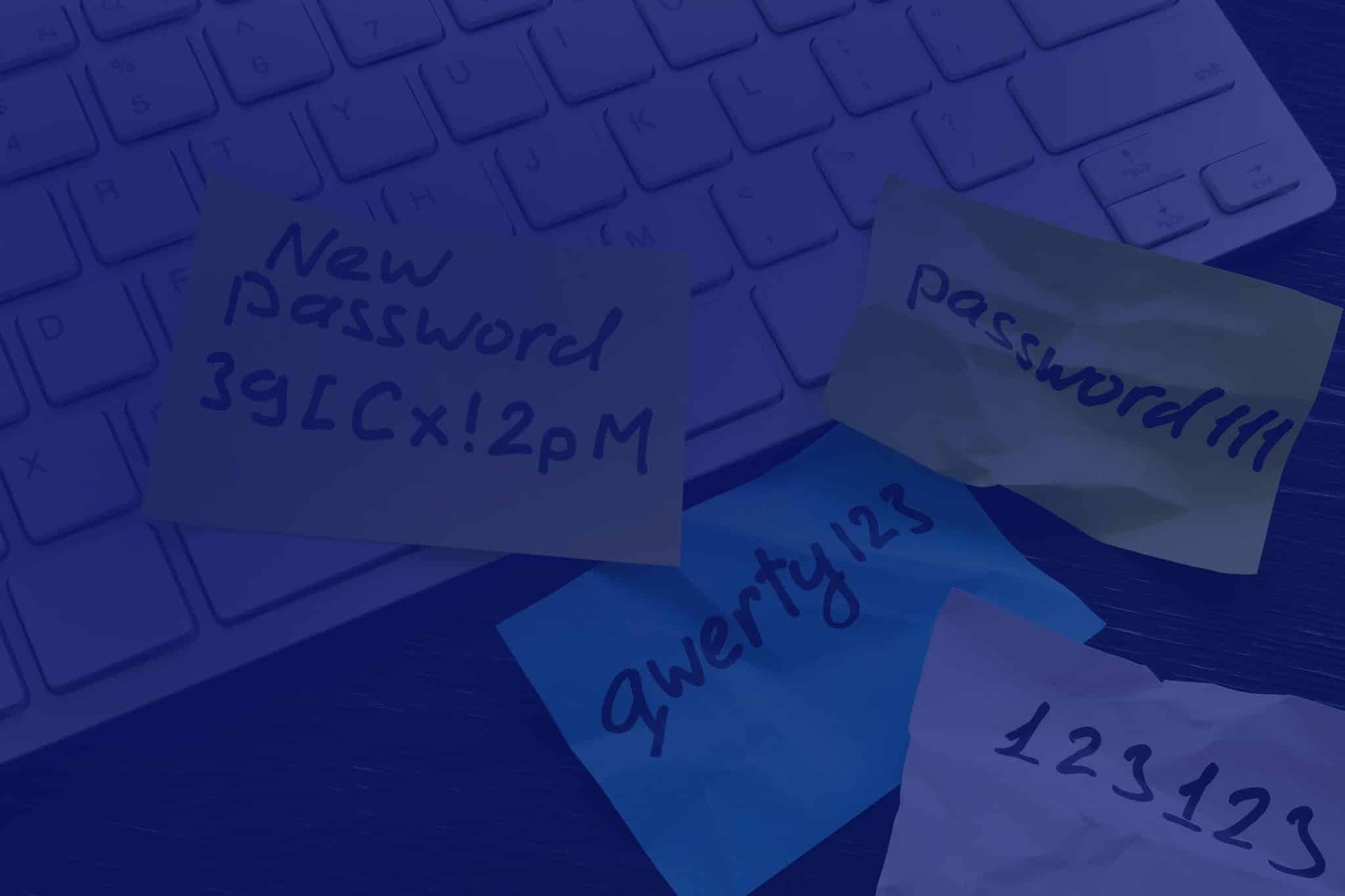
Estimates say that the average person could have dozens to hundreds of accounts. No wonder many people simply use the same password for all of them. That’s a risky practice leaving them vulnerable to cyberattacks, data breaches, and identity theft. However, it’s so much easier than having to remember one password for each of your accounts, right?

There is a safer way: Password managers.

What is a Password Manager?

A password manager is like a personal digital vault. It’s an application that stores your usernames, passwords and sometimes two-factor codes for every account in an encrypted format. It requires a user to remember just one master password to access their vault – you no longer need to recall countless login details for various websites and apps.

Why Use a Password Manager?

Password managers are very convenient and save users a lot of time. As they streamline the login process, the stress and frustration that comes from trying to remember login credentials are removed.

You can also enjoy these benefits from using a password manager:

  • Stronger Passwords: Password manager apps help to generate strong, unique passwords for every account. This reduces the risk of brute-force attacks – a trial-and-error method of trying all possible passwords until the correct one is found.
  • Improved Security: Because password managers do not reuse passwords, you become less vulnerable to data breaches and identity theft. Also, secure password management solutions are aligned with the principles of cyber security services and frameworks.
  • Secure Password Sharing: Some password managers allow users to securely share login credentials with their team, which is safer than sharing plain text passwords.
  • Cross-Platform Compatibility: Most password managers work across different devices, ensuring your login information is always accessible.

How Does a Password Manager Work?

Here’s a simplified breakdown:

  1. Installation: You download and install a password manager app on your computer or mobile device.
  2. Creating an Account: You create an account with the password manager, using a strong and unique master password.
  3. Adding Login Credentials: For each website or application you use, simply add the login details (username and password) to your password manager. For new credentials, the password generator feature available in many password managers comes in handy.
  4. Automatic Login: When you visit a website or app, the password manager can automatically fill in your login credentials, saving you time and effort.
  5. Secure Storage: Your credentials are stored in an encrypted format within the password manager’s vault. This makes it extremely difficult for unauthorised individuals to access your data, even if they were to gain access to your device.


Are Password Managers Really Safe to Use?

You may have heard of the LastPass security breaches and wonder ‘Are password managers really secure’? While risk zero doesn’t exist, it is important to note that there was no flaw in the password manager itself. The attackers instead exploited a vulnerability in third-party software and bypassed existing controls.

This should remind us of the importance of strong security measures. Making sure you enforce strict protocols with your vendors and suppliers is as important as password management.

Our CyberShield and CyberShield+ packages have been designed with this approach in mind. Not only they include an enterprise-grade solution that allows seamless integration and management of passwords across the organisation, but they’re also built around managed IT, security controls and governance.

However, it is fair to question that if a breach happened to LastPass, it could happen to any password manager app, so let’s address that by debunking some common misconceptions:

Myth 1: Password managers are not secure.

Reputable password managers are designed to be secure. Advanced encryption technologies make it virtually impossible for hackers to access your data. Many password managers also utilise multi-factor authentication (MFA) for extra security.

Myth 2: If I lose my master password, I lose everything.

Forgetting your master password is inconvenient, but most password managers offer recovery options. It’s essential to follow the provider’s guidelines for setting up recovery methods to avoid losing access to your passwords.

Myth 3: Storing all passwords in one place is risky.

Keys are often placed together in a keyring or a key safe so they’re not scattered around loosely. In a similar way, storing all your passwords in a secure online password manager is safer than managing them manually. Just make sure your password manager enforces strong password generation and prevents password reuse, so that the risk of a data breach impacting multiple accounts is significantly reduced.

Of course, as previously mentioned, there is no risk-free password manager app. The trick is to find the most secure one that adheres to strict security measures and is perfect for your needs. Here are 7 Tips to Choose the Best Password Manager.

Myth 4: Password managers are too complicated to use.

Modern password managers are user-friendly. Many of them offer intuitive interfaces and features that simplify the password management process. For example, Keeper offers a seamless user experience with its autofill browser extension, allowing you to quickly and securely log in to your favourite websites with a single click.

Myth 5: I can remember all my passwords – so I don’t need a password manager.

We can barely remember to bring milk home on our way back from work, so how are we supposed to remember complex, unique passwords for dozens of online accounts? Relying on memory increases the likelihood of using weak or reused passwords, which can be a recipe for disaster.


Take Control of Your Digital Security

The importance of password safety is easy to underestimate or overlook. But data breaches are wake-up calls that highlight the need for a reliable password management solution.

With a secure password manager, you can enhance your online security posture and reduce the risk of cyberattacks.

At ADITS, we believe that in Brisbane, Townsville, and beyond, a secure password management solution is non-negotiable to create a robust defence against increasingly sophisticated threats in today’s ever-changing landscape.

FIND OUT MORE

4 Key Benefits of Cloud Backup for Healthcare You Can’t Ignore

In April 2024, MediSecure, an Australian electronic prescription provider, experienced a significant ransomware attack that compromised the personal data of approximately 12.9 million Australians

The stolen data included sensitive information such as full names, phone numbers, addresses, Medicare numbers and prescription details. 

This breach offers a stark reminder of just how vulnerable healthcare IT systems can be. With patient data on the line, having a reliable cloud backup for healthcare in place has never been more critical. This is why it’s vital for healthcare providers to understand the full benefits of club backups.

Why cloud backup matters

Cloud backup for healthcare is much more than a safety net. It’s an absolutely necessary part of any healthcare organisation’s cyber security strategy. They help prevent the kind of large-scale data loss seen in breaches like MediSecure by keeping sensitive patient information secure and accessible.

Beyond security, reliable cloud backups mean healthcare providers can access the data they need. And when they need it. For instance, the Australian Digital Health Agency notes that 80% of health consumers expect innovative digital tools to enhance their care, and having data at your fingertips is a big part of delivering that experience.

Despite this, some practices still rely on local servers or physical backups, which are far more vulnerable to unexpected events. And while Microsoft 365 offers built-in backup features, they don’t cover everything—as we explore in our article, Why Microsoft 365’s Built-In Backup Isn’t Enough.

In short, cloud backups for healthcare have become standard for a reason. Here are four ways they can transform the way your practice protects and manages patient data:

  1. Better patient care, every time

‘Good collection and use of health data leads to better health care,’ says the Department of Health and Aged Care. And it’s easy to see why. When a doctor can’t access a patient’s full medical history because of a server outage or other technology disruption, care can be delayed or even compromised.

While on-premise servers are still important for running critical applications, pairing them with cloud backups takes your data security—and patient care—to the next level.

For example, with cloud backups, healthcare professionals can securely store patient records and gain 24/7 access to them from anywhere with an internet connection.

That means doctors and nurses can access the information they need instantly, even during unexpected events. 

So how do cloud backups actually improve patient care? By giving healthcare teams faster, reliable access to records, they can diagnose sooner, plan treatments more efficiently, and deliver better outcomes for every patient.

 2. Faster recovery and minimal downtime

No IT system is completely immune to surprises. Whether it’s a power outage, a natural disaster or a cyberattack, the unexpected can hit when we least expect. 

Imagine a cyclone, for example, hitting and taking your practice’s servers offline. In an unanticipated event like this, how quickly could you access patient records and get back to caring for patients?

Downtime in healthcare is a lot more than a mere convenience. It can affect patient safety and cost your practice thousands for every minute offline. The longer the disruption, the bigger the impact. Basically, the longer the disruption, the bigger the impact. 

And that’s where cloud backups make a real difference. With data stored securely off-site, you can recover quickly and keep your practice running smoothly. 

The Australian Government advises healthcare providers that ‘having a recent backup of your data will help you to recover more quickly,’ reinforcing why offsite solutions are essential for continuity of care.

 3. Stay compliant and protect patient data

Patient data is incredibly sensitive. And the healthcare sector is under constant pressure to meet strict regulations. 

The World Economic Forum stresses that ‘stringent rules and regulations must be put in place to secure sensitive patient data,’ and cloud backups can be a huge help in staying compliant.

Here’s how they support your obligations:

  • Data Security: Australian Privacy Principle (APP) 11 requires healthcare providers to protect patient data from unauthorised access, loss or disclosure. Cloud backups use strong encryption to keep information safe. Even if a breach occurs, the data is unreadable. 
  • Access Controls: APP 1.3 mandates control over who can access personal information. Cloud solutions let you set precise permissions. That way, only authorised staff can view or edit patient records. 
  • My Health Record Integration: Cloud backups work seamlessly with My Health Record, ensuring that patient data stays secure while being shared safely between providers.

With cloud backups in place, you can confidently deliver care, knowing your patients’ information is protected and your practice is meeting its compliance obligations.

  4. Easy scalability and smarter cost management

As your practice grows, so does your data. And traditional on-site servers can quickly become a bottleneck. Upgrading means expensive hardware, potential compatibility headaches and frustrating downtime. 

Cloud backup for healthcare takes all that off your plate. They scale effortlessly as your needs increase, so you’re not constantly investing in new servers or worrying about running out of space.

Beyond convenience, cloud solutions are also cost-smart. McKinsey & Company reports that moving to the cloud can reduce IT costs by 30–40%, freeing up resources that can be better spent on patient care and other priorities.

Protect your patients and your practice with reliable cloud backups

In healthcare, every second counts, and so does every byte of data. With cyber threats on the rise, safeguarding patient records is no longer optional. Cloud backup solutions give you peace of mind, secure access to critical information, and the ability to recover quickly from any unexpected event.

At ADITS, we help healthcare providers across Brisbane, Townsville, and Queensland implement tailored backup strategies that fit your practice’s needs. From compliance and security to cost-effective scalability, we make it simple to protect your data and keep your day-to-day operations running on track.

So let’s make sure your practice is prepared for anything. Reach out today to see how ADITS can help secure your patient data and streamline your IT.

Why Microsoft 365’s Built-in Backup Isn’t Enough

The importance of data backup cannot be overstated. Ask yourself what would become of your business if you were to lose critical information?

Not only do accidental deletions, hardware failures, or cyberattacks result in business disruption, but they can also damage your reputation, and lead to unexpected financial costs. In Australia alone, the average cost of a data breach has increased by 32% in the last five years.

If you’re enjoying the benefits of Microsoft 365, you might think your business is safe thanks to the built-in backup feature. Unfortunately, even the tech giant acknowledges that it cannot guarantee the security of data stored in its cloud services.

Moreover, there are known vulnerabilities and emerging threats specifically targeting Microsoft SharePoint, a widely used component of Microsoft 365. Recent reports have highlighted security flaws in SharePoint that are being actively exploited by malicious actors, posing significant risks to organisations relying on this platform.

These limitations underscore the need for robust, multi-layered backup solutions that go beyond the built-in options provided by Microsoft 365.


Microsoft 365’s Built-In Backup Features Work

Microsoft 365’s backup features can work with small, individual files. They’re better suited for short-term recovery needs, such as accidental deletions or edits of a project or document. This means that while Microsoft ensures that it won’t lose your data, it does not make any guarantees about restoring data if you do. Let’s dive into some of these backup features.

File History

This enables you to back up specific folders on your local device and allows you to restore previous versions of files in case of accidental deletion or modifications.

However, File History only protects what’s in designated folders on your local device. It doesn’t cover your entire Microsoft 365 environment, which might include emails, shared documents, or data from other applications.

It also has limited functionality. It does not create system image backups for a full system restore, which is crucial for recovering from major system crashes.

Moreover, backups are stored on your local device, which can fill up quickly and become vulnerable if your device suffers a hardware failure. If your local drive fails, you lose both your original data and the backup.

OneDrive Versioning

This feature keeps track of previous versions of files stored in your OneDrive account. It’s useful for reverting to an earlier document draft. However, version history only goes back a certain period, as defined by Microsoft. If you need to recover a file from months ago, this feature won’t be able to help.

There are also security concerns. Microsoft emphasises data protection within their cloud storage, but a successful breach or sophisticated ransomware attack could still compromise your OneDrive backups. Keep in mind that cloud security is a shared responsibility, according to Microsoft – you will always be responsible for your data, endpoints, account, and access management.

Retention Policies

Retention policies can automatically archive or delete older data based on set rules, but they are not true backup solutions. They don’t create a separate copy of your data, and deleted items might be permanently unrecoverable after a specific timeframe. Accidental deletions or data breaches could still result in permanent data loss.

Litigation Hold

This helps preserve emails, even deleted ones, for a set period. It temporarily safeguards specific user mailboxes or data sets during legal proceedings.

Recycle Bins

Recycle bins are not really meant for backups but can be a safety net for recently deleted emails, documents, and other files. You can recover items accidentally trashed, but only within a specific timeframe (typically 30 to 90 days).


Explore Beyond Microsoft 365 Backup Features

An independent, third-party, backup solution is the best way to protection organisations against the most common data loss pitfalls and Microsoft’s limited native recovery capabilities.

Here are our thoughts on why we think a combined effort is the way to go.

  • Flexible retention: Third-party backup solutions often provide significantly longer retention periods compared to Microsoft 365’s built-in options. This means you can keep your data for years, ensuring that you have access to historical information whenever needed. This is particularly important for businesses that need to comply with long-term data retention policies.
  • Granular recovery: One of the standout features of third-party backup solutions is the ability to perform granular recovery. This means you can restore specific items, such as individual emails, files, or even specific versions of documents, without having to recover entire mailboxes or sites. This level of precision can save time and reduce disruption during the recovery process.
  • Automatic and Continuous: Backups run automatically and continuously. You don’t need to remember to manually back up your data because automatic backups are scheduled at regular intervals to ensure continuous protection. Some solutions can capture changes to your data as they happen, so you’re always covered, even for accidental deletions or edits made just moments before.
  • Enhanced Security: Cloud backup providers offer advanced security features.
    • Encryption: Data is encrypted both in transit (between your devices and the cloud) and at rest (within the cloud) using industry-standard encryption protocols.
    • Access Controls: You can define who can access your backups and what level of access they have, ensuring only authorised users can view or restore data.
    • Additional Features: Cloud backup solutions may offer features like multi-factor authentication (MFA) and anomaly detection for further security enhancements.
  • Attuned with 3-2-1: A cloud-based backup aligns with the 3-2-1 backup rule. This helps optimise data security, with 3 copies of your data on 2 different media types, with at least 1 offsite or cloud copy.


Embrace a Proactive Approach to Your Backup Strategy

Data security is a cornerstone of business resilience. It is important to understand the criticality of your data to find the backup solution adapted to your needs.

Don’t wait for a data loss incident to uncover the gaps in your current backup strategy. Whether you’re in Brisbane, Townsville, or anywhere across Queensland, take proactive steps now to safeguard your business’s most valuable asset—its data. Investing in a robust, multi-layered backup solution is not just a precaution; it’s a strategic move to ensure business continuity and peace of mind.

LET’S CHAT

Why the SMB1001 Cyber Security Framework is Making Waves

The digital revolution has brought not only fantastic opportunities but also increased the attack surface when it comes to threats. Nearly half of Australian SMBs have already been targeted by cyberattacks with the cost of cybercrime averaging between $46,000 to $97,000 for small and medium sized businesses.

These statistics should serve as a wake-up call, highlighting the urgent need for robust cyber protection!

That’s when cyber security frameworks come in. They provide a structured approach to managing cyber risks, ensuring compliance with industry regulations, and incorporating best practices for IT security.

With the many frameworks available these days, this article will delve into the SMB1001 and look at why it is a game changer for smaller organisations.


An Overview of Cyber Security Frameworks

First, it is important to understand that cyber security frameworks provide a common language and methodology for discussing and managing risks. They aim to safeguard your data, systems, and ultimately, your business’ reputation.

Some of the top cyber security frameworks in Australia are ISO 27001, NIST, CIS Controls and the Essential Eight (E8).

The E8 are supported by the Australian Government who developed it through the ACSC back in 2017 to help businesses mitigate cyber threats. While it is not mandatory for private businesses, it is strongly recommended.

After 7 years, we’re able to look back and realise that these traditional frameworks present challenges for smaller organisations that are looking for something less complex, not resource-intensive to implement, and more flexible to suit their needs.

SMB1001: A Clear Path to Cyber Maturity

Dynamic Standards International (DSI) developed SMB1001 to fill the gap in cyber security certification for SMBs.

It addresses the unique challenges faced by SMBs in implementing effective cyber security measures without the complexity and high costs associated with larger, more comprehensive frameworks.

It covers essential security practices across various areas such as incident response, risk management, and employee training, which are often overlooked by simpler frameworks like the Essential Eight.

So, what makes SMB1001 work?

The framework’s certification process is straightforward, practical, and built around five areas of focus:

  • Technology Management – This pillar focuses on managing and securing the technology infrastructure, including hardware, software, and networks. It involves implementing security controls such as firewalls, antivirus software, and intrusion detection systems to protect against cyber threats. Regular updates and patch management are also essential to ensure that all systems are protected against known vulnerabilities.
  • Access Management – This involves controlling and monitoring access to information systems and data. It includes implementing strong authentication mechanisms, such as multi-factor authentication, to ensure that only authorised individuals have access to sensitive information. Access controls should be regularly reviewed and updated to reflect changes in personnel and roles within the organisation.
  • Backup & Recovery – Regular data backups and having a robust recovery plan in place is important. It ensures that data can be restored in the event of a cyber incident, such as a ransomware attack. A well-defined recovery plan helps minimise downtime and ensures business continuity by outlining the steps to be taken to restore systems and data.
  • Policies, Plans, & Procedures – this involves developing and implementing comprehensive cybersecurity policies, plans, and procedures. These documents provide guidelines for the organisation’s security practices and response to cyber threats. They should cover areas such as incident response, data protection, and employee responsibilities. Regular reviews and updates are necessary to ensure that the policies remain effective and relevant.
  • Education & Training – The SMB1001 framework is designed to be clear, concise, and accessible even for those without a deep technical background. This approach can empower your non-technical staff to take ownership of your cyber security posture. Everybody, at all levels, gets the chance to contribute to keeping the organisation protected. The responsibility of cyber security involves the entire organisation:
    • Employees, by following best practices like not opening suspicious emails, using strong passwords, and regularly updating their software.
    • Managers, by allocating resources for cyber security training and tools.
    • Executives, by prioritising cyber security at a strategic level.

SMB1001 vs. The Essential Eight

Both frameworks have the same goal which is to enhance cyber resilience, but SMB1001 provides a more accessible entry point for businesses of all sizes. It also covers more of the key practice areas that support a robust security program.

In the contrary, the E8 requirements are more technical and complex to comprehend, often leaving small business owners confused and not confident enough to continue building out their security posture.

Take Action with a Reliable Partner

ADITS’ cyber security solution, CyberShield, is built around essential security controls outlined by the SMB1001 :23 Silver Tier 2. Take control of your cyber security today – with expert guidance. ADITS can help your business through comprehensive cyber security services in Brisbane and Townsville.

CyberShield Brochure

With data becoming an invaluable asset and stricter rules regarding its protection, we have enhanced our offerings with CyberShield +, an advanced cyber security solution for businesses. It includes everything from CyberShield, plus a cyber security awareness program through uSecure and compliance to the mandatory Privacy Act.

CyberShield+ Brochure

A Deep Dive into Australia’s AI Ethics Principles

“Ethics [in AI] is not just about getting the right answer – it demands that we are answerable to others, that we explain ourselves to them, that we listen to their response. It demands that we continue to question if our ethical decisions are right.”

Paula Boddington, author of Towards a Code of Ethics for Artificial Intelligence


Artificial intelligence (AI) is fast transforming our world. It is infiltrating every aspect of our lives, from facial recognition software in airports to mental health chatbots.

As AI keeps growing, so are its opportunities and challenges. Two in three organisations believe AI can boost their productivity with The World Economic Forum projecting 97 million new jobs due to AI by 2025.

AI can streamline administrative processes in Healthcare, personalise learning experiences in Education, and analyse donor data for Nonprofits. It can assist in areas such as:

  • Inventory management
  • Customer chatbots
  • 24/7 hotlines
  • Meeting management
  • Invoicing
  • Talent recruitment
  • Compliance monitoring
  • Cyber security

Check out our article, 10 Key Opportunities & Implications of AI for Your Business, to explore more AI opportunities that could benefit your business.

With the widespread of AI use comes questions.

“Who’s responsible if AI goes wrong?” Most people (77%) think companies should be held accountable for misuse.

“Do people trust how AI is being utilised?” Only 35% of people globally trust how companies are using it.

This outlines the need for clear rules and ethical guidelines such as Australia’s AI Ethics Principles, essential to building trust.

The AI Ethics Principles: Your Guide to Responsible AI Use

The AI ethics framework outlines eight principles to guide the development, deployment, and use of AI. These are voluntary guidelines meant to inspire and enhance compliance with existing AI regulations and practices.

1. Human, Societal and Environmental Wellbeing

The key goal of AI systems should be creating positive outcomes for individuals, society, and the environment. It encourages the use of AI in addressing global concerns, to benefit all human beings, including future generations.

Also, as organisations benefit from AI, they must consider a broader picture. This includes positive and negative impacts throughout an AI system’s lifecycle, within and outside an organisation.

2. Human-Centred Values

AI tools and platforms must be designed to respect human rights, diversity, and individual autonomy. They should align with human values and serve humans, not the opposite.

AI use should never involve deception, unjustified surveillance, or anything that can threaten these values.

3. Fairness

AI should be inclusive and accessible to all, ensuring no individual is unfairly excluded or disadvantaged. This means actively preventing discrimination against any individual or group based on age, disability, race, gender, and such factors.

Bias can be avoided and fairness promoted by utilising diverse datasets that reflect the world’s population. Algorithmic fairness audits can also be conducted prior to AI system deployment, to analyse for signs of bias against specific demographics.

4. Privacy Protection & Security

AI systems must respect and protect individuals’ privacy rights, by ensuring proper data governance throughout their lifecycle. They should involve securing AI systems against vulnerabilities and attacks, or cyber security services to prevent sensitive data from being stolen or manipulated.

Also, organisations should only collect data that’s absolutely needed for AI to function; the less data you gather, the less privacy risk there is. Measures like data anonymisation can also be implemented, where personal details are removed.

5. Reliability & Safety

AI tools and platforms must consistently perform their intended functions accurately, without posing unreasonable risks. This includes using clean, accurate, and up-to-date data to train your AI systems.

It also means regular testing and ongoing monitoring. This allows you to catch and fix any issues promptly, ensuring the system remains reliable and secure throughout its lifecycle.

6. Transparency & Explainability

Transparency helps build trust and accountability, so AI decision-making processes should be clear and understandable. This ensures people can recognise when AI is significantly impacting them and understand the reasons behind AI decisions. Allow them a “peek under the hood,” with a simplified explanation.

Avoid technical jargon when explaining AI decisions. Use clear and concise language that the average person can understand. The goal is for them to grasp the general idea, not become an AI expert.

7. Contestability

This aims to ensure that individuals, communities, or groups significantly impacted by AI systems can access mechanisms to challenge the use or outcomes of these systems. This encourages providing efficient processes for redress, particularly for vulnerable persons or groups.

For example, if an AI system used for facial recognition at an airport wrongly identifies someone as a security risk, they can easily contest this decision and have it reviewed.

8. Accountability

Organisations and individuals involved in the AI lifecycle must be clearly identifiable and responsible for the outcomes of AI systems. Mechanisms should be in place to ensure that they can be held responsible for the impacts of AI, both positive and negative.

For instance, when an AI-powered software produces biased outcomes, the persons responsible for developing and deploying it must be identifiable and face potential consequences for it.

Ethical AI Through Effective Data Governance

Data is the lifeblood of AI. The quality, diversity, and security of data directly impact the fairness and effectiveness of AI systems. Therefore, your data privacy policies and implementation will hugely influence your use of AI.

Here’s how AI ethics and data governance intersect:

Data Collection, Storage, and Use

The AI ethics framework highlights the importance of collecting and using data ethically. This involves obtaining informed consent, minimising data collection, and ensuring data is used only for its intended purpose.

Data Security and Protection

Cyber security solutions are essential to safeguarding sensitive data. Breaches can expose personal information, which can lead to discrimination, unfair treatment, or even identity theft. Data governance frameworks should thus address security risks and ensure compliance with privacy regulations. We’ve written a really helpful resource to help SMBs meet Australia’s cyber security compliance standards, check it out.

Data Sharing and Collaboration

The principles encourage responsible data sharing while protecting privacy. Secure platforms can facilitate data collaboration, research, and innovation without compromising individual rights. These can incorporate privacy enhancing technologies like federated learning (training AI models collaboratively), which helps preserve data privacy.

Privacy By Design and Default

AI systems should be designed with privacy in mind from the start. This means minimising data collection and ensuring individuals have control over their own data. For example, a fitness tracker that only collects anonymised step data by default can have options for users to share additional metrics if they choose.

By adopting these principles, organisations can shape data governance policies that build trust with stakeholders and ensure responsible AI development.

AI Ethics: Paving a Sustainable Future

Australia’s AI Ethics Principles provide a clear roadmap for developing and deploying responsible and ethical AI. By integrating these principles into your governance framework, organisations in Brisbane, Townsville, and across Australia can unlock the full potential of AI while ensuring accountability, fairness, and transparency.

Do you want to delve deeper into the topic of AI and data governance? We’ve put together a comprehensive eBook that delves into the state of AI nowadays, a comparison between ChatGPT and Copilot as well as a bonus kickstarter guide with the steps to take for a successful AI deployment.

Get Your Free eBook

Ensuring Data Security and Compliance with Microsoft 365

Did you know that having cyber security covered doesn’t necessarily mean that requirements for privacy laws are in place?

After a few years of major cyber attacks making headlines, we would hope that there is an increasing understanding of the critical importance of cyber security. However now, the focus needs to also be on data privacy.

Why?

  • Financial services clients want their data to be secure.
  • Patients want Healthcare services to keep their records confidential.
  • Donors to Nonprofits want their personal information properly handled.

Data privacy is about protecting people. Of course, all organisations wish for better security, but not everybody does what is needed for data protection. When it becomes an afterthought, it can lead to the impression that privacy and security are at odds with one another.

However, when done strategically, ensuring data privacy can lead to:

  • Trust and Confidence: When customers are confident that their data is secure with you, they are more likely to do business with you.
  • Regulatory Compliance: Non-compliance with strict regulations can result in hefty fines and legal consequences.
  • Competitive Advantage: Customers are becoming more concerned about data privacy issues, so organisations that prioritise it can gain a competitive edge.

An ally in your quest for better data protection is Microsoft 365. The leader in cloud-based productivity software provides a range of features and practices to help organisations protect their sensitive information. In this article, we’ll look at how Microsoft 365 can help to protect your organisation’s data while meeting rigorous compliance requirements.

Security Features in Microsoft 365

What’s in Microsoft 365 that can help you create a resilient digital environment? Here’s an overview of Microsoft (Office) 365 security and compliance features.

FEATURE* DESCRIPTION ROLE EXAMPLE
Multi-Factor Authentication (MFA) Adds an extra layer of security on top of passwords; users who log in must provide a second form of verification (like a text message or an authentication app) Reduces the risk of unauthorised access; even if a password is compromised, MFA prevents account breaches If an employee’s credentials get compromised, MFA can stop criminals in their tracks.
Microsoft Defender Formerly known as Advanced Threat Protection (ATP), shields against sophisticated cyber threats, including phishing emails, malware, and zero-day attacks Scans attachments and links in emails, blocking malicious content before it reaches your inbox When a staff member receives an email claiming to be from a trusted client and ATP detects a suspicious link, it prevents them from clicking and thwarts a potential phishing attack.
Data Loss Prevention (DLP) Prevents accidental or intentional data leaks, by identifying sensitive information (e.g., credit card numbers, health records) and enforcing policies to prevent unauthorised sharing Ensures that confidential data stays within your organisation, minimising the risk of accidental exposure When an employee tries to email a customer list containing personal details, DLP flags the action, preventing accidental leakage and maintaining compliance.
Information Rights Management (IRM) Allows control over who can access, forward, or print specific documents or emails, encrypting files and restricting actions based on permissions Secures sensitive documents, even when shared externally, so that only authorised recipients can view or modify them When you share a confidential contract with a partner, IRM ensures that they can read it but can’t forward it to others without permission.

*These are all included with a Microsoft 365 Business Premium licence at no extra cost.

Staying Healthy with Microsoft Secure Score

Using Microsoft 365 Secure Score is like having a built-in security health checkup. It evaluates how well you’re protecting your digital assets, including data, devices, and applications. The better your security practices, the higher your score. Secure Score can recommend where you can improve, then you can create an action plan to implement recommended actions.

The Secure Score feature is included in Microsoft 365 Business Premium and available once you start using the suite. You don’t need to set up Secure Score, and you can view it in the Defender for Cloud Overview dashboard. The score automatically updates every day.

Some recent updates to Microsoft Secure Score can further enhance your security posture:

  • Phishing-resistant MFA strength is required for administrators
  • Windows Azure Service Management API is limited to administrative roles
  • Internal phishing protection for Microsoft Forms is enabled
  • SharePoint guest users cannot share items they don’t own

Compliance Capabilities in Microsoft 365

Microsoft 365 supports these compliance standards:

  • ISO 27001: Outlines best practices for information security management systems and helps improve security controls and risk management
  • Health Insurance Portability and Accountability Act (HIPAA): Helps protect healthcare data, controlling access, and maintaining audit trails
  • Australian Prudential Regulation Authority (APRA): Guides banks, credit unions, insurance companies, and other financial services institutions in outsourcing material business activities like cloud computing services
  • Privacy Act 1988 (Cth): Governs personal information handling by businesses, with Australian Privacy Principles (APPs) outlining how to collect, use, and disclose personal data
  • Notifiable Data Breaches (NDB) Scheme: Mandates businesses to report eligible data breaches to affected individuals and the Office of the Australian Information Commissioner (OAIC)

To monitor compliance with these standards, your IT expert can log in to your Microsoft 365 admin centre and navigate to the Security and Compliance section. Choose the relevant modules then configure settings and set up policies. If a standard is not available, you can contact an external IT professional with GRC capability to map out its requirements to your security policies and settings.

Key Compliance Tools in Microsoft 365

The features below can help enhance your compliance:

Tool Description
Compliance Manager
  • Helps track compliance tasks and assessments
  • Simplifies complex regulatory requirements
  • Provides a quantifiable compliance score to track your efforts
Compliance Score
  • Quantifies compliance efforts across various controls
  • Measures your adherence to standards
  • Enables continuous improvement by spotting gaps
eDiscovery
  • Vital for legal and regulatory purposes
  • Allows you to search, hold, and export content for legal cases
  • Ensures compliance during litigation or investigations
Audit Log Search
  • Aids in monitoring and investigating security incidents
  • Tracks user and admin activities within Microsoft 365
  • Provides an audit trail for compliance audits

Best Practices for Data Protection and Governance

Here are some key best practices for enhancing data security in your organisation, particularly when using Microsoft 365:

  1. Prioritise data encryption, ensuring sensitive information is obscured from unauthorised access, even within Microsoft 365
  2. Implement MFA to add an extra layer of security, deterring potential breaches
  3. Regularly update access permissions, reflecting changes in roles and responsibilities, to maintain tight control over data access
  4. Conduct frequent security awareness training, fostering a culture of vigilance and proactive protection among your team
  5. Utilise Microsoft 365’s advanced threat protection features to guard against sophisticated cyber threats
  6. Establish clear data governance policies that define the handling, storage, and transmission of data, aligning with industry standards
  7. Engage in continuous monitoring and auditing of data activities to quickly identify and address any irregularities or vulnerabilities
  8. Embrace a strategy of least privilege, limiting user access to the minimum necessary for their role, reducing the risk of internal threats
  9. Back up data regularly, ensuring business continuity and resilience in the face of unexpected data loss incidents.
  10. Stay informed about the latest security trends and updates, adapting your strategies to the evolving digital landscape.

Microsoft 365 Compliance and Cyber Security Solutions in Brisbane, Townsville

Ensuring data security and compliance is a strategic imperative for modern businesses. At ADITS, we understand the complexities and challenges involved in maintaining them. Our team of experts is committed to helping organisations in Brisbane, Townsville, and across Queensland leverage the full potential of Microsoft 365 to safeguard sensitive information and ensure regulatory compliance. Whether you’re looking to optimise your existing Microsoft 365 setup or planning a new implementation, ADITS provides tailored solutions designed to meet your unique needs.

Contact us today to learn more about the cyber security services and compliance benefits in Microsoft 365 for your Queensland business:

TRANSFORM WITH MICROSOFT 365

Strategies for Cyber Security, Continuity and Emergency Response in Queensland Critical Infrastructure

Every Australian relies every day on energy, food, water, transport, communications, health, and banking and finance services. These essentials support our way of life and underpin our economy, security, and sovereignty. Therefore, disruptions to those critical infrastructures can cause significant, if not disastrous, impacts.


Rising Risks to Our Critical Infrastructures

Cyber actors have been targeting critical infrastructures in recent years, like Medibank, Optus, and Latitude. More recently, an unauthorised network access occurred at DP World Australia, compromising employee data. It forced the business to go offline, disrupting their Brisbane, Sydney, Townsville, Melbourne, and Fremantle operations; goods were stranded in ports for around 10 days.

For the FY 2022-23, the Australian Signals Directorate (ASD) noted 143 reports of cyber incidents against critical infrastructure. These were primarily due to compromised accounts/credentials, compromised assets/network/infrastructure, and denial of service (DoS). Meanwhile, the global trend points to an estimated hundredfold increase in attacks on critical infrastructure by 2027.


Wanted: A Strong Response Strategy

A response strategy is critical to ensure that your organisation is prepared to deal with cyber incidents effectively. It can help minimise the impact of an attack.

Critical infrastructures are also required to have a formal incident response plan in place as per the regulations they need to comply with such as the Security of Critical Infrastructure Act 2018 (SOCI). This law details the legal obligations for owners and operators of critical infrastructure assets, including notification duties and government support in case of incidents. The Act applies to these sectors.

Queensland for instance has outlined a Cyber Security Hazard Plan to mitigate cyber incidents with state-wide or national impacts, that can lead to a response strategy tailored for your organisation:

  1. Prevention: Understanding and minimising the cyber risks that could impact an organisation, the state, or the nation
  2. Preparedness: Reducing the consequences of an incident and ensuring effective response and recovery
  3. Response: Delivery of appropriate measures to respond to a cyber incident
  4. Recovery: Implementing post-incident strategies for recovering systems and restoring services

The strategy emphasies the need for the collective effort of individuals, community groups and organiations, local governments, businesses, the tertiary sector, the Queensland Government, and the Australian Government. This can be done through the Joint Cyber Security Centres (JCSC), a network to exchange information, collaborate, and share resources.

The ASD, via its Cyber Security Partnership Program, also works closely with businesses and individuals to provide advice and information about the most effective ways to protect their systems and data.


Best Practices for Securing Critical Infrastructure

How can you defend your organisation against cyber threats? Here are some best practices for the critical infrastructure sector.

Prevention: Your First Line of Defence
Find a Guiding Framework A robust cyber security framework can help you plot a roadmap for enhancing your protection. At ADITS we follow the SMB1001. It has a clear, step-by-step path and a tiered approach, from essential hygiene practices to a more comprehensive security strategy.
Educate Your Team Empower your staff to be your first line of defence. Train them regularly to equip them for identifying suspicious emails, recognising phishing attempts, and reporting potential threats.
Secure Your Systems Properly set up your digital shield, with firewalls, anti-virus software, data encryption, and strong passwords, which are essential for keeping unwanted visitors out.
Preparedness: Be Ready for Anything
Plan for the Unthinkable Develop a comprehensive cyber incident response plan (CIRP). Outline the roles, responsibilities, and communication protocols in case of an attack. Conduct regular tabletop exercises to test your CIRP. Ensure everyone knows their part.
Stay Informed Stay current on the latest and evolving threats and mitigation strategies. Subscribe to alerts from reputable sources like the ACSC. Knowledge is power – use it to stay ahead of the curve.
Collaboration is Key Build strong relationships with industry peers and government agencies. Sharing information and best practices fosters a collective resilience against cyber threats.
Response: Act Swiftly and Decisively
Early Detection Invest in security monitoring tools to detect suspicious activity promptly. The faster you identify an intrusion, the quicker you can contain the damage and minimise disruption.
Follow Your CIRP Be ready. When an attack hits, follow your CIRP. Ensure everyone communicates clearly while carrying out their well-defined roles. A well-coordinated response will help you mitigate the impact and get your systems back online quickly.
Seek Expert Help Don’t underestimate the value of professional assistance. When faced with a major attack, consider engaging a cyber security services expert to guide your response and recovery efforts.
Recovery: Bounce Back Stronger
Restore Normal Operations Get your critical systems back online as swiftly as possible. Prioritise essential services and have backup and recovery plans in place to ensure minimal disruption.
Learn from the Experience Every incident is a learning opportunity. Conduct a thorough post-incident review to identify weaknesses and improve your defences.
Keep Improving Use lessons learned to continuously ensure your critical infrastructure remains resilient. Consider new technologies and enhance your training and awareness programs.


Elevating Security with AI and Advanced Technologies

Artificial intelligence (AI) is now a cornerstone in fortifying cyber security for critical infrastructure. It can swiftly process vast datasets, identify subtle patterns, and adapt to novel threats, providing unparalleled efficiency and continuous learning.

But AI isn’t the only advanced technology enhancing cyber security. Here are a few more:

  • Cloud Encryption, which can ensure data security in cloud-based platforms
  • Extended Detection and Response (XDR), with improved threat detection and incident response capabilities
  • Blockchain technology’s secure data storage capabilities can be leveraged for data integrity and authentication
  • Generative AI (GenAI), which can detect and respond to cyber threats in new ways


Your Next Step: Assess Your Risk Factors

With employees being your first line of defence, ensuring continuity and proper emergency response begins with identifying your human risks. ADITS’ free Human Risk Report (HRR) will help you identify domain impersonation threats and released credentials. You will receive a comprehensive report with some actionable tips as well as a free phishing campaign to test your employees’ awareness.

ADITS Achieves SMB1001 Gold Certification, Demonstrating Commitment to Cybersecurity Excellence

Queensland, Australia [May 2024] – ADITS, a leading Technology Solutions Provider, today announced achieving a Gold certification in the SMB1001 Cybersecurity Standard. This rigorous program validates ADITS’ robust cybersecurity practices and commitment to protecting sensitive data, both internally and for its clients. 

The SMB1001 standard is a multi-tiered framework designed to equip small and medium-sized businesses (SMBs) with the tools to strengthen their cyber resilience. ADITS’ Gold certification demonstrates a comprehensive cybersecurity posture addressing critical areas like access control, incident management, business continuity, and network security. 

“Cybersecurity is paramount for ADITS,” said Adam Cliffe, SEQ Managing Director at ADITS. “This Gold certification validates our dedication to protecting our data and empowering our clients to do the same. It reinforces our position as a trusted partner in navigating today’s complex cybersecurity landscape.” 

gold-smb1001-2023-level-3

Championing SMB Cybersecurity

Beyond its own achievement, ADITS leverages the SMB1001 framework to equip other businesses with the tools they need to thrive in a secure digital environment. Their CyberShield solution offers a comprehensive approach to achieving SMB1001 compliance. 

CyberShield empowers SMEs by: 

  • Providing a clear roadmap: ADITS guides clients through the SMB1001 framework, ensuring a smooth and efficient compliance journey. 
  • Implementing best practices: ADITS’ team of security specialists helps clients implement essential controls and safeguards outlined in the SMB1001 standard. 
  • Ongoing support: ADITS offers continuous support to ensure clients maintain their compliant posture and adapt to evolving threats. 

By achieving SMB1001 Gold certification and offering the CyberShield solution, ADITS demonstrates its commitment to not only its own cybersecurity excellence but also to fostering a more secure digital environment for Australian businesses of all sizes. 

Learn more about ADITS CyberShield

How IT Support Has Evolved to Empower Remote Workers

The workplace has undergone a seismic shift with the adoption of flexible work setups. Gone are the days of rigid, office-bound schedules for a significant portion of businesses.

“The increase in hybrid or remote working represents one of the largest changes in Australian workplaces in generations” reported the Australian HR Institute, citing that 24% of organisations expect remote working arrangements to increase until 2025. 

This trend presents both opportunities and challenges for Australian organisations. The good news is that IT support has evolved dramatically alongside this shift. We have seen its transformation from a reactive, problem-solving role to a proactive, strategic enabler of remote work success.


Traditional IT Support vs Managed IT: From Patchwork to Powerhouse

Imagine juggling a dozen laptops spread across the state, each with its own software updates, security vulnerabilities, and user quirks. That’s the reality faced by many businesses, especially when strapped for resources, like Queensland nonprofits or smaller medical practices.

Traditional break-fix IT support has had its advantages in time, but it’s like playing whack-a-mole: You’re constantly reacting to issues instead of preventing them. Plus, you’re bound to spend more in the long run, slowly draining your resources. We explain this in detail in our article, Managed IT Services: The Smart Way to Escape the Break-Fix Money Pit.

Enter Managed IT Services: a comprehensive approach that acts as an extension of your internal IT team. Managed IT provides proactive maintenance, remote monitoring, and strategic planning. With it, your IT can be constantly optimised, allowing your team to focus on core activities.


Remote Work Risks and Mitigation Strategies

Having a productive remote workforce is awesome, but there are still some security concerns associated with it. Here’s a breakdown of the key risks and how managed IT services can help:

Managing Remote Access & Data Transmission

Ensuring security for remote access is vital, with employees accessing data from home networks. A managed IT provider can implement Virtual Private Networks (VPNs) that encrypt data in transit. VPNs become the secure tunnels that connect remote user devices and your organisation’s network.

This way, John, a doctor at a regional Queensland medical practice who needs to access a patient’s confidential file outside of his office can safely collaborate with colleagues, regardless of location.

Managing Risks in Remote Devices & Networks

Unsecured home Wi-Fi networks and personal laptops also pose grave security risks. Managed IT providers with cyber security expertise can implement endpoint security solutions that monitor, patch vulnerabilities, and prevent malware infections on remote devices. Additionally, they can educate your employees and provide guidance on secure home network practices.

Managing Human Risk: Employee Training and Awareness

The strongest cyber security and IT solutions can’t replace a strong human defence. This is why technology providers can provide employee training programs to educate staff about threats and cyber security best practices. Properly trained and equipped employees can be your most powerful allies in the cyber war.


Cloud Solutions: Your Remote Work Toolkit

The key to remote work success lies in accessibility and seamless collaboration. Here are some cloud-based IT solutions that can be handy:

Remote Monitoring & Management (RMM) Tools

How can you diagnose and troubleshoot IT issues on remote devices instantly? RMM tools can be implemented as part of your managed IT services agreement, providing remote access for IT professionals. This enables them to support staff and address problems as quickly as possible.

Picture this: An NFP social worker’s Incident Management app doesn’t want to connect and they’re unable to do their reporting as required by their industry. Traditionally, this would mean waiting for an IT technician or risking a DIY fix. With an RMM tool, the managed IT provider is immediately alerted, so they can remotely diagnose the issue and fix it within minutes.

Collaboration Platforms

Tools like Microsoft Teams elevate the way remote teams work together. These platforms often come with integrated communication tools such as chat, video conferencing, and document sharing. They can thus build a sense of connection and improve productivity even when staff are geographically dispersed.

Imagine a team of architects at a Townsville business aiming to brainstorm design ideas for a new project. Traditionally, this might involve scattered emails and clunky conference calls. But with a collaboration platform, the architects can hold interactive video meetings, share design plans in real-time, and chat instantly to discuss changes. This nurtures a sense of connection and collaboration, while keeping the project moving smoothly even though the team members are all working remotely across Queensland.


The Future of Flexible Work: AI and Beyond

The future of IT support is brimming with exciting possibilities with the increasing role of Artificial intelligence (AI) in the workplace. From automated ticketing systems and predictive maintenance to chatbots and virtual assistants, the integration of AI and automation in IT support processes leads to faster issue resolution, improved efficiency, enhanced security, and a better overall user experience.

However, amidst all technological advances is the constant need to improve cyber security measures. As remote work keeps evolving, so do the risks we face. You must stay vigilant, adapting innovative IT strategies for a more secure and productive work environment.


Empowering Your Queensland Workforce

The shift towards remote work presents an opportunity for organisations to expand talent pools, improve employee satisfaction, and drive business agility. By embracing a proactive approach to IT support and adopting managed IT services, you can empower your remote workforce to be as productive, if not more, as if they were in the office.

To thrive in the era of flexible work, it’s essential to transform your IT infrastructure and processes to align with these new demands. At ADITS, we prioritise understanding your unique needs first, ensuring our partnership is fully customised to support your goals. Discover more about our proven process and how we help organisations in Brisbane, Townsville, and beyond adapt and excel in this dynamic work environment.

DISCOVER MANAGED IT