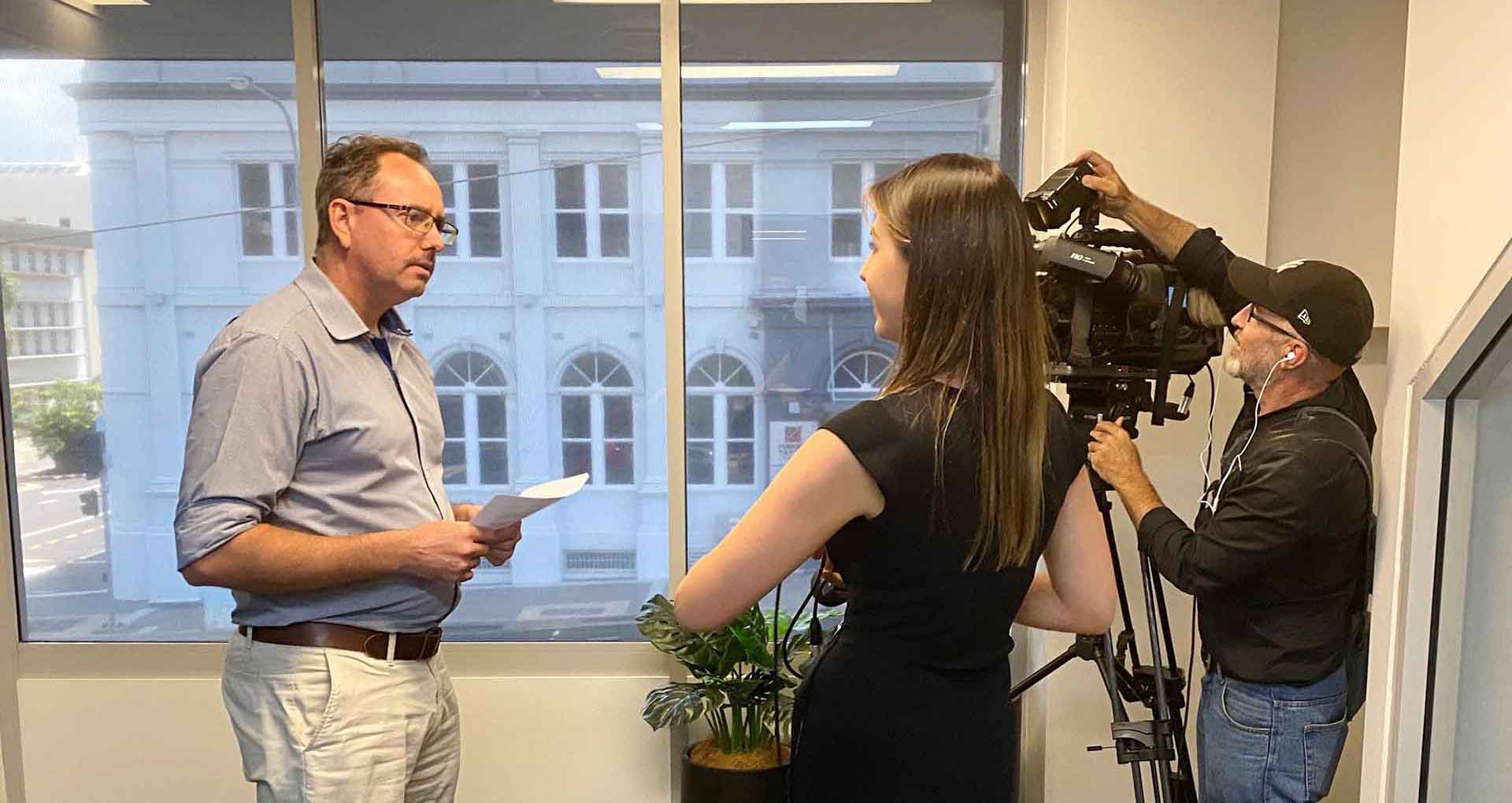
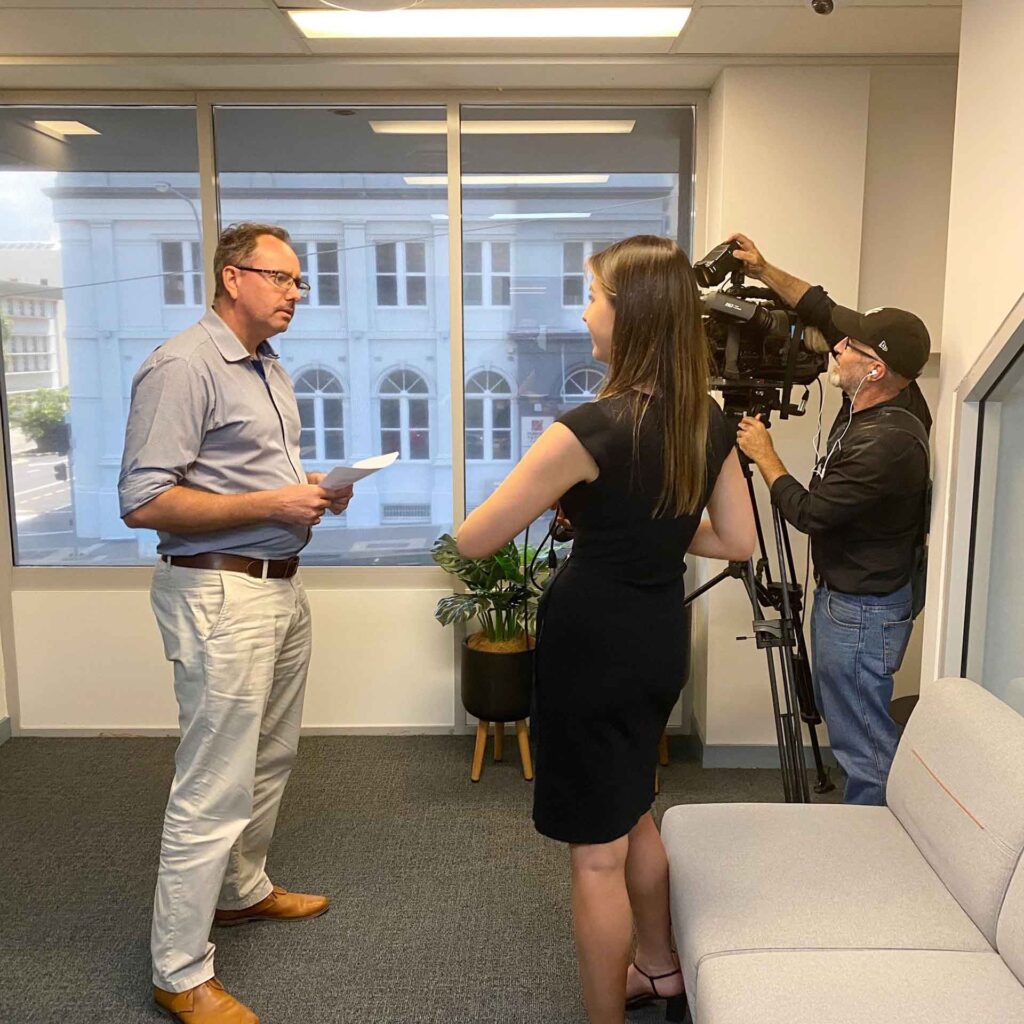
ADITS has been named a world premier managed service provider on the prestigious 2020 annual Channel Futures MSP 501 rankings. For the 13th year running, MSPs from around the globe completed an exhaustive application to self-report product offerings, annual total and recurring revenues, profits, revenue mix, growth opportunities and company and customer demographic information. Applicants are ranked on a unique methodology that weights revenue figures according to long-term health and viability; commitment to recurring revenue; and operational efficiency.
Channel Futures is pleased to rank ADITS at #7 in Australia and#132 in the world, in the 2020 MSP 501 rankings.
“We are very excited to appear in the rankings for another year,” Managing Director, Ashley Darwen said. “ADITS is only as good as its people, so this truly was a team effort and one we will celebrate together”.
Background
In the 13 years since its inception, the MSP 501 has evolved from a competitive ranking list into a vibrant group of service providers, vendors, distributors, consultants and industry analysts working together to define the growing managed service opportunity.
“For the third year running, the applicant pool for the annual MSP 501 has grown year-over-year, making this year’s list the most competitive in the survey’s history,” says Kris Blackmon, Senior Content Director at Channel Partners and Channel Futures. “The MSP 501 leveraged judgement methodology brand-new in 2020 to drill down into not just what makes a big managed service provider, but what makes a great managed service provider.
The 2020 winners are truly the best examples of innovation, business acumen and strategic savvy on the planet. We extend our heartfelt congratulations to the 2020 winners and gratitude to the thousands of MSPs that have contributed to the continuing growth and success of both the 501 and the thriving managed services sector.”
Hi – Joe Average here! I’m just your average bloke that knows way too much about IT, with way too much time on his hands. The IT World can be confusing. Cloud, software, hardware, cyber security – you get the point. I would HATE to keep going and show off… BUT, there is someone who can swoop in and take the heavy burden of knowing your IT environment off your already full plate: a Managed Service Provider. A Managed Service Provider (or MSP) is your external IT provider, creating and proactively managing your company’s unique IT environment. Although we are biased, there are several benefits to utilising an MSP in your workplace – let’s dive in!
1. Unlimited support
My favourite analogy to explain an MSP is that it is like Netflix for IT. With Netflix, you automatically pay a set fee every month for unlimited movies and tv shows. With an MSP, the same rule applies, except you are receiving unlimited IT support. This makes it easy for your company to budget, improving your cashflow and putting a smile on your Accounts Teams’ faces.
2. Productivity
An MSP empowers every person within your organisation to receive support as soon as they need it. This level of proactivity with fast response times increases the productivity of those within your organisation. No need for your ‘resident Karen’ to call the Manager and demand approval for her IT support, she can easily submit her request and, as the saying goes, Bob’s your Uncle.
3. Access to a network of Technical Specialists
If you were to have an internal IT department, chances are, you would hire a ‘jack of all trades’. A benefit to outsourcing is the access to a panel of experts who are highly qualified and experienced in their specialised field. They can easily recognise problems and propose appropriate solutions, turning your IT environment into a well-oiled machine.
4. Scalability
As your MSP is most likely supporting a variety of clients of different size, structure and industry, they will be able to seamlessly adjust their service offering to suit your requirements. The MSP also works with a variety of vendors, so they can easily alter your product package to suit you as your wants and needs change.
So there you have it; the benefits of utilising a Managed Service Provider. For questions, concerns and smart remarks, contact my knowledgeable tech mates at ADITS on 1300 361 984, or at enquiries@adits.com.au.
Whether you’re in Brisbane, Townsville, or beyond, we’re here to help! Cheers!
Business Ready QAssure is the largest, most up-to-date, capability based database of IT Providers in Queensland. The database is designed to assist procurement for both government and private sectors. This tick of approval means that we are contract ready and qualified to support all public and private sector organisations seeking our IT Services.
How does the accreditation work?
The service conducts a comprehensive accreditation process which seeks to easily connect ICT Suppliers with organisations seeking their services. All IT Service Providers must register their business details online, inclusive of capabilities, financials and insurances. All three realms provide an accurate indication of their capability as an IT Provider and stability as a company. The Chamber of Commerce & Industry Queensland (CCIQ) then complete the check and approval process, providing successful applicants with 12-months accreditation. After the 12-month period, IT Providers must reapply for accreditation to ensure all details are up-to-date and the inform1ation on file is trustworthy, relevant and of high quality.
Should my IT Provider be Business Ready QAssure Accredited?
An IT provider’s general details, capabilities, modules, financial information, insurances and currency should all be types of information collected when selecting your IT Provider. The accreditation means that all of this information has already been checked by CCIQ, being the leading business body in Queensland. The Register is therefore a great place to begin your search, as it provides a sense of validity and security for the researcher.
If you are unsure whether your current IT Provider is accredited, they should be displayed in the register, as we are here. Additionally, they may have the accreditation logo displayed on their website, as we do on our homepage, under Our IT Solutions Partners.
Hi! Joe Average here! I’m just your average bloke who knows way too much about IT, with way too much time on his hands. One of the top causes of cyber security breaches is user error. So allow me to provide you with my top tips on what you can do to prevent cyber security breaches.
The majority of cyber security breaches don’t start with hackers breaking into sophisticated systems; they begin with simple user mistakes. Weak passwords,outdated software, careless clicking, or connecting to unsafe networks can all open the door to attacks. That’s why end users play a critical role in keeping both personal and business data secure.
This guide outlines essential cyber security solutions and practices that anyone can implement, from setting strong passwords and avoiding phishing links to keeping devices updated and backing up important data. By following these tips, end users can dramatically reduce their risk of cyber attacks and create a safer digital environment for themselves and their organisations.
Password protection
If you use the same basic password for everything, you are asking for trouble. Even a rebel without a cause would have fun with that. Make sure you use a complex password; one with a mix of upper and lower case, numbers and symbols. Hot tip: If you nearly forget it yourself, it’s a good one! Never share passwords or sensitive information via email or messages to avoid compromise. Remember to change your password regularly, once every 30 days is the recommended best practice. I also recommended you install two-factor authentication on all devices and programs for an additional line of defence. This common cybersecurity practice helps protect against unauthorised access. And no, for the last time, ‘Password’ is not a good password. Don’t make me say it again.
Know your hardware
Freddy from Finance has no business borrowing your USB, and vice versa. Take ownership of all of your hardware, inclusive of your computer, USB and hard drive. We also recommend that each employee has their own secured accounts for online services, including email and any other software programs you use.
Think before you click
Phishing attacks often mimic trusted sources to make you click on malicious links, increasing the risk of compromise. We are all guilty of being suckered into clickbait; the enticing news article titles that promise more information, but never deliver. This tactic is also used in phishing attacks, which attempt to obtain sensitive information. Remember, curiosity killed the cat, so we need to avoid pop-ups and unknown links and email messages at all costs. Always check with your IT manager to ensure that links are safe to access.
Install Anti-Virus Protection and Firewall
This software takes the guesswork out of malicious attacks by preventing them from entering your systems. It is the number one line of protection and has the potential to eliminate user error completely. And remember, there is no point in having it if you do not keep it up to date. Effective security measures involve regularly updated systems and staying alert to cyber threats.
Implementing Multi-Layered Cyber security
Cyber security isn’t one-size-fits-all with apps and services. A stacked strategy with secure passwords, software updates, and tools like firewalls and intrusion detection systems is the way to go. Regular software and apps updates are essential methods to control vulnerabilities in systems. Protect access and keep sensitive info under wraps to manage business like a pro amidst the rising tide of cyber threats.
Update Your Software Regularly
Outdated apps and software are the easiest vulnerabilities hackers exploit. Always install system and application updates as soon as they’re available. These patches often fix security vulnerabilities before attackers can exploit them.
Secure Your Wi-Fi & Remote Connections
Your home or office Wi-Fi network should never be “set and forget.” Make sure your router uses WPA3 or WPA2 encryption, has a strong, unique password, and hides the default network name (SSID). If you work remotely, always use a VPN to protect your connection from eavesdropping.
Be Wary of Public Wi-Fi
That free public café Wi-Fi isn’t really free—it could be a haven for malicious cyberattacks. If you must use it, avoid logging into sensitive accounts (like banking or email) unless you’re on a secure, encrypted VPN.
Lock Your Devices
Control access to computers and lock your devices to protect against unauthorised access. Step away from your desk? Lock your computer and mobile device, even if it’s just for a coffee break. Unattended devices are an open invitation for unauthorised access.
Back Up Your Data
Accidents (or ransomware) happen. Regularly back up your files to a secure cloud service or an encrypted external drive. That way, even if something goes wrong, your important data isn’t gone forever. Ensuring data is stored securely helps avoid the identity compromise risk.
Stay Alert to Social Engineering
Cyber threats aren’t always technical—sometimes they rely on psychology. Be cautious of phone calls, texts, or even in-person requests for information. If something feels off, it probably is. Suspicious requests could lead to identity or information compromise if mishandled. Always verify suspicious requests before sharing sensitive information.
So there you have it; my top tips on what you can do to prevent cyber security breaches. For questions, concerns and smart remarks, contact my knowledgeable tech mates for cyber security services at ADITS on 1300 361 984, or at enquiries@adits.com.au
Whether you’re in Brisbane, Townsville, or beyond, we’re here to support you! Cheers!
FAQs
Q1: Why is end-user cyber security so important? Most breaches happen due to human error. Even the strongest security systems can be bypassed if employees use weak passwords, click on phishing links, or leave devices unlocked. Strong end-user awareness is the first line of defence.
Q2: How often should I update my passwords? Best practice is every 30–60 days, and you should always use a mix of upper and lower case letters, numbers, and symbols. Even better, use a password manager or passkeys to keep your accounts secure.
Q3: Is public Wi-Fi really that dangerous? Yes. Public Wi-Fi networks are often unsecured, meaning attackers can intercept your data. If you must use it, always connect through a trusted VPN and avoid logging into sensitive accounts like banking or work email.
Q4: What’s the easiest way to improve my cyber security today? Enable multi-factor authentication (MFA) on all accounts. It adds an extra layer of protection beyond your password and blocks most unauthorised access attempts, even if your credentials are stolen.
Q5: Do I really need to back up my data if I’m careful? Yes. Being careful isn’t enough. Hardware failures, ransomware, and accidental deletions happen all the time. Regular backups to a secure cloud or encrypted drive ensure your data is safe no matter what.
Hi – Joe Average here! In Australia, business owners have been asked to allow their employees to work from home if it is possible for them to do so. Although critical to the health and safety of your employees, the risk to your data may be a potential side effect, with employees using work devices all over the countryside. So, allow me to provide my top tips on mitigating the IT risk of employees.
Accessibility
Polly from PR does not need access to your finances, just like Fred from Finance does not need access to your PR files. I recommend that you conduct a permission audit, as in, document which employees have access to what files and ensure adequate restrictions are in place. It may also be beneficial to create an access request structure, to ensure that only those who need access, can get it.
Work devices for work purposes
Everyone has heard the old saying, ‘horses for causes’ and its true for your business tools as well, inclusive of devices. Work devices should only be used for work purposes. Limiting work and personal use overflow will limit the risk of your business data leaking into employees’ personal lives (and who knows where that could end up!
Data retention
It is important that all business data is backed up and stored in a secure location. That way, if Fired Freddy ‘accidentally’ deletes all of your documents on his last day of work, your data is protected.
Education
There is only one way employees are going to know the do’s and don’ts of IT in your business: education. It is important to spread awareness on topics such as identifying spam and steering clear of activities that may pose a security risk. We recommend talking to your Managed IT Services provider to develop an education plan for your employees.
So there you have it; my top tips for mitigating the IT risk of employees. For questions, concerns and smart remarks, contact my knowledgeable tech mates at ADITS on 1300 361 984, or at enquiries@adits.com.au
Whether you’re in Brisbane, Townsville, or beyond, we’re here to help! Cheers!
After completing an audit on 2020, we have come to the conclusion that this version has a virus and we would like to uninstall it. I.T jokes aside, we are current living in a time of change and uncertainty, with many of our lives completely upended and many now working from home. For those that Scott Morrison (Scomo, for the ‘cool corporates’ of the world) calls ‘essential’, we continue to battle the 9 to 5 grind, with many of us working from home for the first time. Although grateful for the continued work, the unique circumstances can be hard to navigate, with the recommended isolation having side effects of loneliness. We are here to provide you with the top tips to support you and your employees in tackling working from home.
Maintain a work-life balance
Although the lack of commute is a welcomed benefit, it can be hard to switch into work mode when you don’t physically travel to work. We recommend setting up a designated workstation, utilising the same routine of ‘arriving’ and ‘leaving’ your office. You should support your employees in doing this, keeping work-related conversations inside of work hours.
Communication is key
Mass media speculation is making it difficult to sift through the facts and falsehoods of the current situation. To combat this, we have set up management meeting rhythms in line with those of the National Cabinet. Then, formal communication is distributed amongst our Team to ensure everyone is fully informed on the impact these changes will have.
Praise each other
Although we love a bit of self-confidence, high fiving yourself about an excellent spreadsheet just doesn’t feel the same… Validation and reassurance from your Manager or colleagues goes a long way. Be sure to continue checking in with your Team and letting them know they are appreciated.
Tech is your friend. Use it
The world is becoming smaller as the digital age continues to evolve; use this to your advantage. Do you usually have lunch as a team? Have after work drinks become a ritual? Is a chat over coffee compulsory? All rituals can still be completed through Microsoft Teams, Zoom, or whichever program you utilise in your workplace. Make time to take time with your Team; it will be appreciated, trust us. Whether you’re in Brisbane, Townsville, or beyond, make time to connect with your team; it will be appreciated—trust us!
We sincerely hope these tips help you to work from home with sanity. Take care and stay safe.
Hi – Joe Average here! The Tech Team at ADITS have been inundated with requests regarding their I.T. when working from home. So take a seat, slap on the hand sany and get ready for my top tips on how I.T. can enhance your new work from home environment.
Communication & Social Connections
As an extreme extrovert, it saddens me that the only human interaction I’ve had this week was a horrified glare I received as I stifled a cough. In a time full of change and uncertainty, communication and connection is crucial. We recommend tools such as Microsoft Teams and Skype for Business to boost team morale and stay informed as you work from home.
Productivity & Accountability
Your home’s heat map may show a much greater frequency of trips to the pantry and couch, than to your desk. Maintaining productivity and holding yourself and your team accountable can be difficult, but not impossible. We recommend utilising tools such as Microsoft Planner or OneNote for goal setting and workday planning. We also recommend setting up boobytraps in the kitchen for those that are on the same ‘sea food’ diet as me…
Remote access and support
ADITS has been practicing social distancing since 2006 with our Helpdesk providing remote support to all customers, no matter whether you work from home, in the office, or around the world. Your IT advisor should also provide you with accessibility options on your device, ensuring a seamless transition between work environments.
Security
Working from home can be high risk, requiring a better security blanket than 100 rolls of toilet paper. We recommend your trusted IT advisor provides you with a clear set of security practices, inclusive of password, virtual private networks (VPN’s) and device safety guidelines.
So, there you have it! My top tips on how IT can make working from home a breeze. For questions, concerns and smart remarks, call my knowledgeable tech mates at ADITS on 1300 361 984 or email at enquiries@adits.com.au. Whether you’re in Brisbane, Townsville, or beyond, we’re here to help! Take care and stay safe, Cheers!
Coronavirus really is the talk of the town. The best way to describe how its antics have impacted upon business is change. Many employers are now working from home for the first time; many are no longer working at all. No matter how you have been impacted, we have listed a variety of ways that you can continue to grow your business in the current climate.
Upskill
The importance of technology and utilising online platforms is being realised now more than ever. This also means that some learning opportunities are now accessible online, which are usually only offered in a face-to-face format. It is important that decision makers take advantage of the opportunity to upskill both themselves and their employees whilst working from home. Remember, soft skills are just as important as hard skills and are often overlooked. This might be the time to change that.
Update
I can guarantee that there are processes in your business that haven’t been updated since dinosaurs roamed the Earth. Take advantage of the time you may now have and look for opportunities to improve. Additionally, it can be predicted that the current climate will significantly change the way we work, with many now working from home. It is important to update what ‘normality’ will look like for your business and your employees on the other side of COVID-19.
Pivot
‘A pivot is a change in strategy, without a change in vision’ – Eric Ries. Look into opportunities to either expand your offering, update it, or change your offering completely. For example, YouTuber, Joe Wicks has pivoted to provide home-based workouts for children and seniors to keep people active whilst isolating. From this, he has seen 1.4million new subscribers in three weeks. Continue to adapt to change and align your offering with the current climate.
Plan
So often people are spending time working in their business and not on their business. Use the time that you may now have to do the latter. Processes taking too long? Streamline them. Not happy with the service from one of your providers? Find a better alternative. Take your plans off the back burner and get stuck in.
So there you have it: our top tips on growing your business in isolation. If I.T. changes are on the cards, we are only too happy to take it off your plate and support you in achieving your mission.
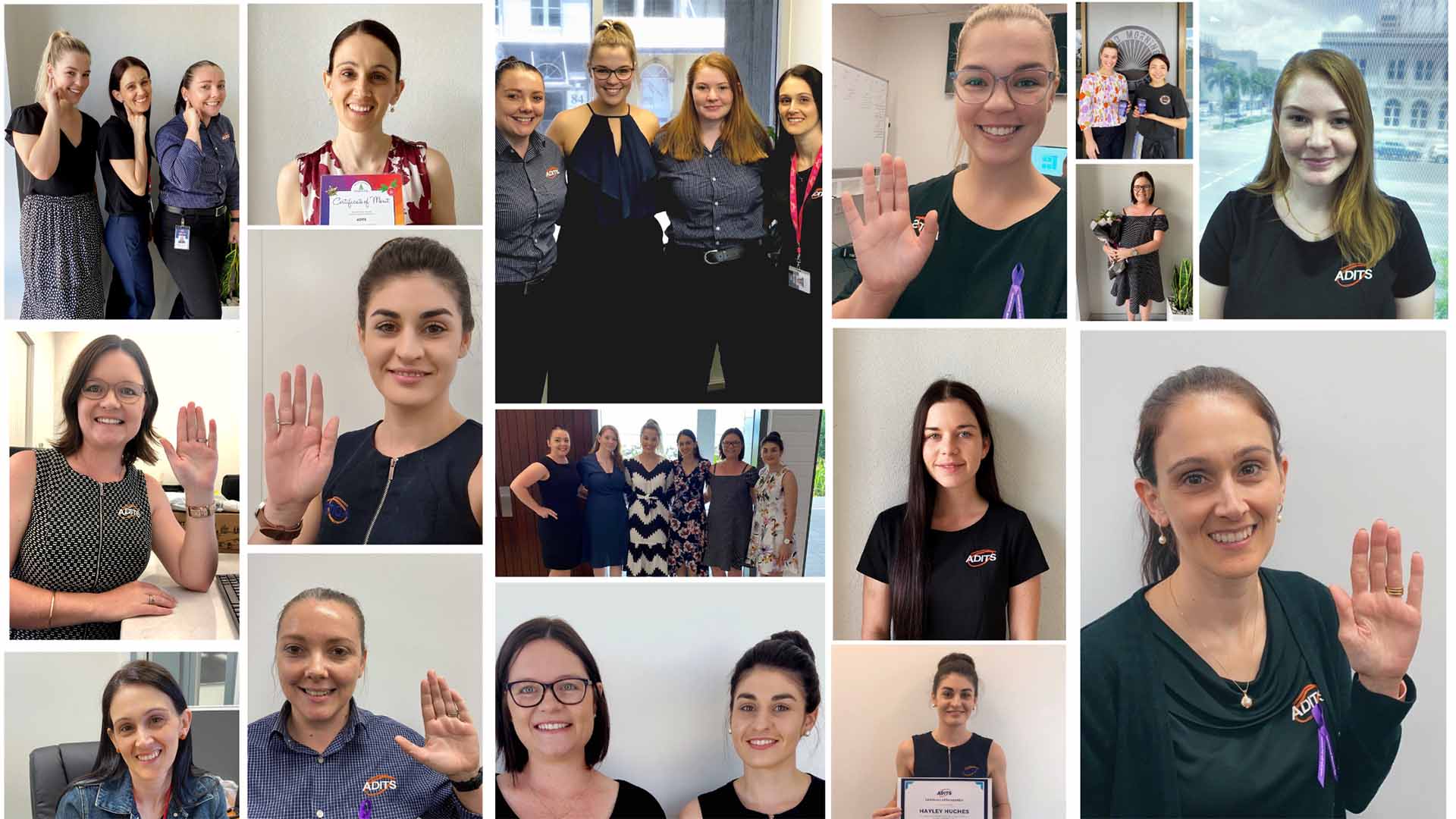
Science, engineering, technology and mathematics (STEM) – The career paths predominantly chosen by men. However, in recent years there has been a significant movement away from the stereotypical careers of men and women, with individualist thinking and increasing availability of information allowing for freedom in career path opportunities. Therefore, ADITS are set to champion the movement of Women in Tech. In line with this year’s International Women’s Day theme, ‘an equal world is an enabled world’, we would like to take this opportunity to shine a light on our amazing Women in Tech.
Danielle Lawson – Helpdesk Consultant
As a Helpdesk Consultant, Dani provides technical assistance and support to our customers. She ensures that our service is delivered efficiently and effectively, for minimal downtime and maximum results. Dani is one of our proudest members of the ADITS team. In her words, she is ‘incredibly grateful for the opportunity to do the job she loves while working with an awesome bunch of people every day’. Her pride keeps her ambitious spark alive, with a dual Diploma in IT and Systems Administration currently under her belt, she is back in the books completing her Bachelor of Information Technology at James Cook University. As a Woman in Tech, her passion for technology extends into her downtime, where she enjoys video games, programming and building computers with her wife, Ashlee and son, Tyler. All hobbies are carried out under the watchful eye of her two mini sausage dogs, Dobby and Luna, and her cat, Justin.
Staci Yarrow – Finance/HR Manager
Staci is arguably the longest serving employee, being a member of the ADITS Team for 10 years. The financial aspect of her role sees her in charge of the day to day managing of ADITS accounts. She provides necessary financial advice, whilst continuing to work towards our financial goals, both short and long term. In her HR role, she ensures a smooth transition through the recruitment process to employment, whilst enabling our employees to achieve their career related goals. Staci enjoys the flexible work environment at ADITS, providing her with options around her beautiful little boy, Flynn, and as she prepares to welcome her newest addition at the end of this month. We wish Staci the best of luck as she takes maternity leave, and for the safe arrival her new little boy to the family.
Helen Hager – Acting Finance Manager
Helen currently supports Gabi in the Helpdesk Dispatch role as the first point of call for all customer enquiries. Being the multi-talented lady she is, Helen also has a background in Finance, having worked in the industry for 15 years and currently studying a Certificate IV in Accounting and Bookkeeping. She will be transitioning into the role of Acting Finance Manager whilst Staci is on maternity leave. Helen is passionate about streamlining workplace processes and improving productivity and office morale, so we look forward to her working her magic in this space. We believe that Helen was a juggler in her past life, as she works, studies and is a Mum to three beautiful boys. However, when she does get some time to herself, she enjoys making earrings, reading books and playing with her dogs.
Shannon Willcox – Marketing Manager
Shannon began working at ADITS in 2017 as a casual marketing coordinator, whilst completing her Marketing Degree at James Cook University. Upon completion, she took on the Marketing Manager role in a full-time capacity. This role is quite diverse, encompassing internal communication, marketing efforts through a variety of mediums; digital and traditional, and customer experience management. Her goals include cementing the ADITS brand and providing lead generation within the communities ADITS serves. Additionally, she has set the ambitious goal of 100% customer satisfaction through all phases of the customer lifecycle. As a big family girl, Shannon often ventures back to her hometown of Bowen, spending time with her Mum and Dad, and two dogs; Maggie and Alfie.
Gabrielle Lockwood – Helpdesk Dispatch Officer
Gabi is our front-lady! She is the first point of contact for all customer enquiries and, as a qualified tech with industry experience, can easily streamline their request efficiently and effectively. She works closely with our amazing helpdesk consultants to relay important information and escalate support for urgent matters. As an ambitious woman, Gabi has said that her favourite part about working for ADITS is the endless opportunity to learn and advance. She is currently studying industry standard certifications to broaden her horizons within the IT industry, with the ultimate goal of choosing a specialised career path. When Gabi finally takes a reprieve from her dream chasing nature, her hobbies include riding her sports bike and spending time with her life-long furry friend, Lily.
Hayley Hughes – Procurement Officer
Since joining the team in 2016, Hayley’s role has continued to expand across all aspects of the business. She now wears many hats within the procurement space, playing an integral role in all of our processes. A typical day for Hayley starts with front desk customer enquiries, followed by writing up of quotes and ordering stock, and rounding out the day with customer roadmap assistance. Most people would think that is a whirlwind of a day, but that’s just the way she likes it. Hayley often says that the number one thing she loves about ADITS is the work culture. In her words, ‘everyone just gets along, which makes it such a great place to work’. As a country girl at heart, Hayley spends her weekends camping with family and friends.
Mikayla Lovegrove – Helpdesk Consultant
Mikayla is the newest member of the ADITS Team, starting as a Helpdesk Consultant on Monday. She worked with our team in 2019 and is now back with vengeance! Mikayla loves the challenges that come with how fast technology changes. With 5 years IT experience under her belt, we are excited to have her on our team. Mikayla enjoys the friendly, welcoming environment at ADITS, which allows her to ask questions, with someone always willing to help. Walking in on her first day back and seeing so many women was an exciting bonus: a very different IT landscape now. 4×4 driving, spending time with her nieces and taking her dog Lilo to the park are just a few of her favourite things. We welcome Mikayla to our team and look forward to working with her for years to come.
ADITS are fortunate to have an amazing group of women in Tech, working across the company. We would like to thank the women of ADITS for their contribution to both the success of our company, and towards the continued progression of the technology industry.
Let me put forward a scenario to you: Your work computers are kaput and the variety of reactions follow… Wally Wiseass jokes, “Looks like we’re having the day off mate!” Last minute Larry starts sweating with his 5pm deadline looming over him. Penny Paper Lover looks smugger than a child who just played Dad against Mum. “Good thing I’m a stationery gal!” (Yeah, she’s SUPER FUN at parties!)
But don’t stress your yoga pants, because I am here to take all your worries away, with my effective solutions to minimize what we in the I.T. World call, ‘Downtime’.
Downtime is the amount of time that your tech system is out of service, due to a variety of reasons that cause both software and hardware to fail. This isn’t your average holiday however, as it has the potential to paralyse your business for extended time periods. As we live in the digital world with everyone on computers (except for Penny, god bless her), minimizing downtime is CRITICAL to ensuring a productive work environment.
“Excuse me, Mr. Average, do you know how to prepare for and prevent downtime?” Absubloodylutely, strap in.
Have a Backup and Disaster Recovery (BDR) in place
Recently, Mother Nature has smacked Australia harder than our own mothers used to. Wherever you live, assess your common threats and make a plan of action in the unfortunately likely situation that this will occur. It’s also important to include cyberthreats such as hacking and viruses in this plan.
Now you have a plan – test it! Cut the power, fake a hacking, throw your desktop out the window (that last point is optional). Practice what a real-life situation would look like and ensure all data is backed up to a centralized location, so you can actually find it.
Warranty
In the tech industry, an out-of-warranty date can also act as an expiry date. Giving the new guy the laptop that you fished out of the basement exponentially increases the risk of downtime occurring. It’s like getting food poisoning in Thailand: Inevitable. Your I.T. provider should be keeping track of this information, notifying you prior to expiry and providing you with options.
Security
We need to stop thinking of hackers as 40-year-olds who still live with their mothers. They are smooth operators who know what they are doing! It is important that your I.T. Provider has: 1) implemented sophisticated security measures, and 2) provided education to your employees around how to minimize cybersecurity threats from impacting your business.
Preventative Maintenance Schedule
If ADITS is your IT provider (INCOMING: Totally not subtle selling), we ensure our customers have a maintenance schedule to prevent disaster strikes. We give up our weekends, our personal ‘downtime’, to complete this kind of work outside your normal work hours, or in a time that is most convenient for you. Talk to anyone of our I.T. Consultants about options that suit you.
So, there you have it; my top four, most effective, super simple, uber fun strategies to minimize downtime and increase productivity. So Wally, quit your laughing, Larry, mop the sweat puddle and Penny, swap the paper for a screen because you’ve got work to do!
For questions, concerns and smart remarks, call my knowledgeable tech mates at ADITS on 1300 361 984 or email at enquiries@adits.com.au. Whether you’re in Brisbane, Townsville, or beyond, we’re here to help!
Cheers!
Discover the Adits Difference
Book your Free
Consultation Today
Ready to unlock your business potential?
Schedule a free, no-obligation IT consultation with our experts.