How To Improve Productivity In A Business

With employees losing an average of five hours per week to IT-related issues, productivity problems go far beyond just an annoyance for business owners. They’re a hidden cost that adds up fast!

The good news is that it doesn’t have to be this way for your business. By using the right IT solutions, you can cut wasted hours, streamline work processes and get more done with less friction. 

From automation tools to smarter communication systems, today’s technology can completely transform the way your business operates, so let’s dive into 6 of the most practical, IT-driven ways to improve your productivity.

1. Stay ahead of IT issues with proactive IT support

Nothing brings a halt to productivity faster than a system crash, a network outage or an email server going down in the middle of a busy workday. The problem is, many businesses still take a reactive approach to IT, only picking up the phone when something breaks. 

While this might seem cost-effective in the short term, it often leads to hours of lost time and unnecessary disruptions that could’ve been avoided. That’s where proactive IT support can make a world of difference. 

With managed IT services from an experienced provider like ADITS, your systems are monitored around the clock. Potential issues are spotted early, often before they impact your day-to-day operations, and are resolved quickly to prevent costly downtime. 

The result? Staff spend less time waiting on fixes and more valuable time focused on productive, revenue-generating work.

2. Streamline communication with Cloud tools

Email alone won’t cut it anymore, especially for teams that need to collaborate quickly across departments, offices or even time zones. Cloud-based collaboration tools like Microsoft 365 make communication fast and effortless. 

Whether it’s chatting in Teams, collaborating on a shared document, or jumping into a virtual meeting, these platforms keep everything connected. Here’s what’s capable with cloud tools:

  • Work from anywhere.
  • Access the latest files in real-time.
  • Stay aligned through shared calendars and project tools.
  • Communicate instantly with fewer back-and-forth emails.

All of this means your team spends less time chasing updates, digging through email threads or waiting for files to be sent over. This often results in faster decision-making, fewer delays and more time spent maximising productivity.

3. Automate repetitive tasks

Have you ever thought about how much time your team spends on repetitive tasks like data entry or report generation? Studies show it’s as much as 19 workdays every year! 

Automation tools can take care of these everyday time-sinks. With platforms like Microsoft Power Automate, Zapier, or customised workflow tools, you can:

  • Automatically generate reports at the end of each week.
  • Set up triggers for follow-up emails after form submissions.
  • Route helpdesk tickets or service requests to the right team member.
  • Sync information between apps without manual input.

A well-planned automation strategy can save hours per week across departments—and not to mention massively reduce human error while you’re at it.

4. Use the right devices (and keep them updated)

When your computer drags its feet just to power on, it can be hard to stay focused and productive. Slow or outdated hardware doesn’t just test your patience; it frustrates staff, slows down daily tasks, and often leads to more calls or requests to your IT team for help.

That’s why, for those learning how to improve productivity in a business, investing in modern, high-performance devices is a must. Even small hardware upgrades, such as faster processors, more memory space or solid-state drives (SSDs), can dramatically reduce wait times and keep your team on moving without unnecessary interruptions.

5. Improve decision-making with smart data tools

Another way IT boosts productivity? By helping you make faster, smarter decisions. With the right data analytics and reporting tools, you get real-time visibility into how your business is really performing. That means clear insights into things like:

  • Sales trends.
  • Staff workloads.
  • Customer behaviour.
  • Project timelines and budgets.

When your data is organised, accessible, and up to date, it’s easier to spot inefficiencies, uncover opportunities, and take action quickly. Whether it’s through Microsoft Power BI or custom-built dashboards, your IT provider can help turn raw numbers into meaningful insights, so you can make well-informed decisions every day.

6. Protect your time with cyber security measures

While many business owners understand that cyber attacks can be costly, they often underestimate just how much time and productivity these incidents can steal. Phishing scams, ransomware and other threats can grind operations to a standstill. 

In fact, even a simple data breach can force your team into crisis mode, putting day-to-day work on hold. That’s why strong cyber security can protect your business and help you stay productive at the same time.

With ADITS, you get more than just basic security. Their expert team takes a proactive, multi-layered approach to safeguarding your business. That means:

  • Implementing advanced security across networks, devices, and cloud platforms.
  • Training your team to recognise phishing scams and avoid risky behaviour.
  • Monitoring your systems around the clock to detect threats early.
  • Creating a disaster recovery plan to minimise downtime and get you back online fast.

Ready for increased productivity with expert IT support from ADITS?

With ADITS by your side, you don’t have to waste time battling slow systems, scattered communication or constant IT hiccups. We’ll help you set up smarter tools, automate the repetitive stuff, and keep everything running securely in the background, encouraging employees to focus on what really matters.

Let’s unlock better performance for your business and make technology work for you. Talk to the team at ADITS today!

How IT Support Has Evolved to Empower Remote Workers

The workplace has undergone a seismic shift with the adoption of flexible work setups. Gone are the days of rigid, office-bound schedules for a significant portion of businesses.

“The increase in hybrid or remote working represents one of the largest changes in Australian workplaces in generations” reported the Australian HR Institute, citing that 24% of organisations expect remote working arrangements to increase until 2025. 

This trend presents both opportunities and challenges for Australian organisations. The good news is that IT support has evolved dramatically alongside this shift. We have seen its transformation from a reactive, problem-solving role to a proactive, strategic enabler of remote work success.


Traditional IT Support vs Managed IT: From Patchwork to Powerhouse

Imagine juggling a dozen laptops spread across the state, each with its own software updates, security vulnerabilities, and user quirks. That’s the reality faced by many businesses, especially when strapped for resources, like Queensland nonprofits or smaller medical practices.

Traditional break-fix IT support has had its advantages in time, but it’s like playing whack-a-mole: You’re constantly reacting to issues instead of preventing them. Plus, you’re bound to spend more in the long run, slowly draining your resources. We explain this in detail in our article, Managed IT Services: The Smart Way to Escape the Break-Fix Money Pit.

Enter Managed IT Services: a comprehensive approach that acts as an extension of your internal IT team. Managed IT provides proactive maintenance, remote monitoring, and strategic planning. With it, your IT can be constantly optimised, allowing your team to focus on core activities.


Remote Work Risks and Mitigation Strategies

Having a productive remote workforce is awesome, but there are still some security concerns associated with it. Here’s a breakdown of the key risks and how managed IT services can help:

Managing Remote Access & Data Transmission

Ensuring security for remote access is vital, with employees accessing data from home networks. A managed IT provider can implement Virtual Private Networks (VPNs) that encrypt data in transit. VPNs become the secure tunnels that connect remote user devices and your organisation’s network.

This way, John, a doctor at a regional Queensland medical practice who needs to access a patient’s confidential file outside of his office can safely collaborate with colleagues, regardless of location.

Managing Risks in Remote Devices & Networks

Unsecured home Wi-Fi networks and personal laptops also pose grave security risks. Managed IT providers with cyber security expertise can implement endpoint security solutions that monitor, patch vulnerabilities, and prevent malware infections on remote devices. Additionally, they can educate your employees and provide guidance on secure home network practices.

Managing Human Risk: Employee Training and Awareness

The strongest cyber security and IT solutions can’t replace a strong human defence. This is why technology providers can provide employee training programs to educate staff about threats and cyber security best practices. Properly trained and equipped employees can be your most powerful allies in the cyber war.


Cloud Solutions: Your Remote Work Toolkit

The key to remote work success lies in accessibility and seamless collaboration. Here are some cloud-based IT solutions that can be handy:

Remote Monitoring & Management (RMM) Tools

How can you diagnose and troubleshoot IT issues on remote devices instantly? RMM tools can be implemented as part of your managed IT services agreement, providing remote access for IT professionals. This enables them to support staff and address problems as quickly as possible.

Picture this: An NFP social worker’s Incident Management app doesn’t want to connect and they’re unable to do their reporting as required by their industry. Traditionally, this would mean waiting for an IT technician or risking a DIY fix. With an RMM tool, the managed IT provider is immediately alerted, so they can remotely diagnose the issue and fix it within minutes.

Collaboration Platforms

Tools like Microsoft Teams elevate the way remote teams work together. These platforms often come with integrated communication tools such as chat, video conferencing, and document sharing. They can thus build a sense of connection and improve productivity even when staff are geographically dispersed.

Imagine a team of architects at a Townsville business aiming to brainstorm design ideas for a new project. Traditionally, this might involve scattered emails and clunky conference calls. But with a collaboration platform, the architects can hold interactive video meetings, share design plans in real-time, and chat instantly to discuss changes. This nurtures a sense of connection and collaboration, while keeping the project moving smoothly even though the team members are all working remotely across Queensland.


The Future of Flexible Work: AI and Beyond

The future of IT support is brimming with exciting possibilities with the increasing role of Artificial intelligence (AI) in the workplace. From automated ticketing systems and predictive maintenance to chatbots and virtual assistants, the integration of AI and automation in IT support processes leads to faster issue resolution, improved efficiency, enhanced security, and a better overall user experience.

However, amidst all technological advances is the constant need to improve cyber security measures. As remote work keeps evolving, so do the risks we face. You must stay vigilant, adapting innovative IT strategies for a more secure and productive work environment.


Empowering Your Queensland Workforce

The shift towards remote work presents an opportunity for organisations to expand talent pools, improve employee satisfaction, and drive business agility. By embracing a proactive approach to IT support and adopting managed IT services, you can empower your remote workforce to be as productive, if not more, as if they were in the office.

To thrive in the era of flexible work, it’s essential to transform your IT infrastructure and processes to align with these new demands. At ADITS, we prioritise understanding your unique needs first, ensuring our partnership is fully customised to support your goals. Discover more about our proven process and how we help organisations in Brisbane, Townsville, and beyond adapt and excel in this dynamic work environment.

DISCOVER MANAGED IT

Set up your home office electronics correctly

Working from home is becoming more common amongst businesses as they begin to adapt to changes in work culture. Saving employees time and money by avoiding the daily commute to work, plus flexibility in work hours, working from home offers a range of benefits.

However, bringing the office home means setting up devices and electronics. From your keyboard to your mouse, additional monitors, and perhaps even a second computer, you could end up with a birds nest of cables and an overloaded power outlet.

To help you avoid catastrophe, we’ve rounded up some handy tips on how to set up home office electronics correctly. Learn how to connect your devices properly, discover office desk ergonomics, plus all the best cable organiser tips and tricks with Smoothmoves.

Don’t Overload The System

If anyone knows how to set up home office electronics correctly, it will be the Electrical Safety Foundation International or ESFI. Promoting electrical safety across North America since 1994, this non-profit has a power strip worth of advice for your home office.

  • Avoid overloading outlets. Furthermore, use power strips intelligently.
  • Unplug appliances when not in use to save energy and minimise the risk of shock or fire.
  • Regularly inspect electrical cords and extension cords for damage.
  • You should only use extension cords temporarily.
  • Never plug a space heater or fan into an extension cord or power strip.
  • Never run cables under rugs/carpets, doors, or windows.
  • Make sure wires do not become tripping hazards.
  • Keep papers and other potential combustibles at least 1 metre away from space heaters and other heat sources.
  • Do not exceed the maximum wattage for lamps/lighting.
  • Test smoke alarms monthly. Change batteries yearly.  Replace smoke alarms every ten years.

The Cable Organiser

Cable management is an underrated aspect of home office ergonomics. Both a method for organising your power outlet and removing unsightly cables for view, cable management can significantly improve both the look and feel of your home office space. Consider investing some time in planning the installation of your home electronics to avoid cable clutter by using cable ties and cable organiser tools like cable boxes.

How To Set Up A Second Monitor Without Cable Clutter

One of the most common sources of cable clutter is from plugging in an external monitor. External monitors usually require a power cable, a display cable and a data cable, with the last two connected to your computer.

Firstly, plug in the power cable to the monitor, and bundle it together with your computers power cable with cable ties or inside a cable sleeve. Then, plug both into your power outlet. If you’re using a power strip, consider putting it inside a cable box for a clean look.

Secondly, connect the display cable from your monitor to your computer. Depending on your computer or monitor, you’ll likely be using one of three connection types. HDMI, DisplayPort and USB-C. If your external monitor supports USB-C, you may be able to power your computer through your monitor in addition to data transfer, leaving you with one less cable.

Thirdly, connect the data cable from your monitor to your computer. This cable will come packaged with your monitor if it has any USB ports. Bundle the data and display cable with cable ties or inside a cable sleeve. If there are none, skip this step.

Finally, position the external monitor so that the top half of the display is slightly above your eye level and at fingertips reach, or roughly 51cm from your sitting position to limit eye fatigue.

Software is your Friend

Beyond the hardware in your physical workspace, your home office relies heavily on the software that you use. Much like our electronics experts, the IT Support team over at ADITS are masters of software and digitally optimising your home office environment. While there’s no way to know what kind of software or applications every worker is using, there are some general tips that can make a significant difference to your productivity.

  • Keep software up to date.
  • Schedule updates for after-work hours
  • Leverage browser extensions.
  • Use private browsing and incognito mode for different results.
  • Implement email rules to organise your inbox.
  • Use window snapping for open applications.
  • Adopt a clipboard manager.
  • Learn application keyboard shortcuts.
  • Reduce the number of programs running on startup.
  • Back up your files locally and in the cloud.

Professional Home Organising Services

If you need some help getting your home office setup ready to go, then you might want to think about giving Smoothmoves a call. Alongside a lightning-fast removalist service, we provide professional home organising services in Sydney, offering hands-on assistance to create immediate changes to your home office and transform the tired, redundant areas around your home into workable and organised environments.

From furniture ergonomics to decluttering and even removing unwanted items, Smoothmoves is your top choice for professional home organisation in Brisbane, Townsville, and beyond. Transform your space and create the perfect ergonomic home office setup today with Smoothmoves!

How will you choose to challenge this International Women’s Day?

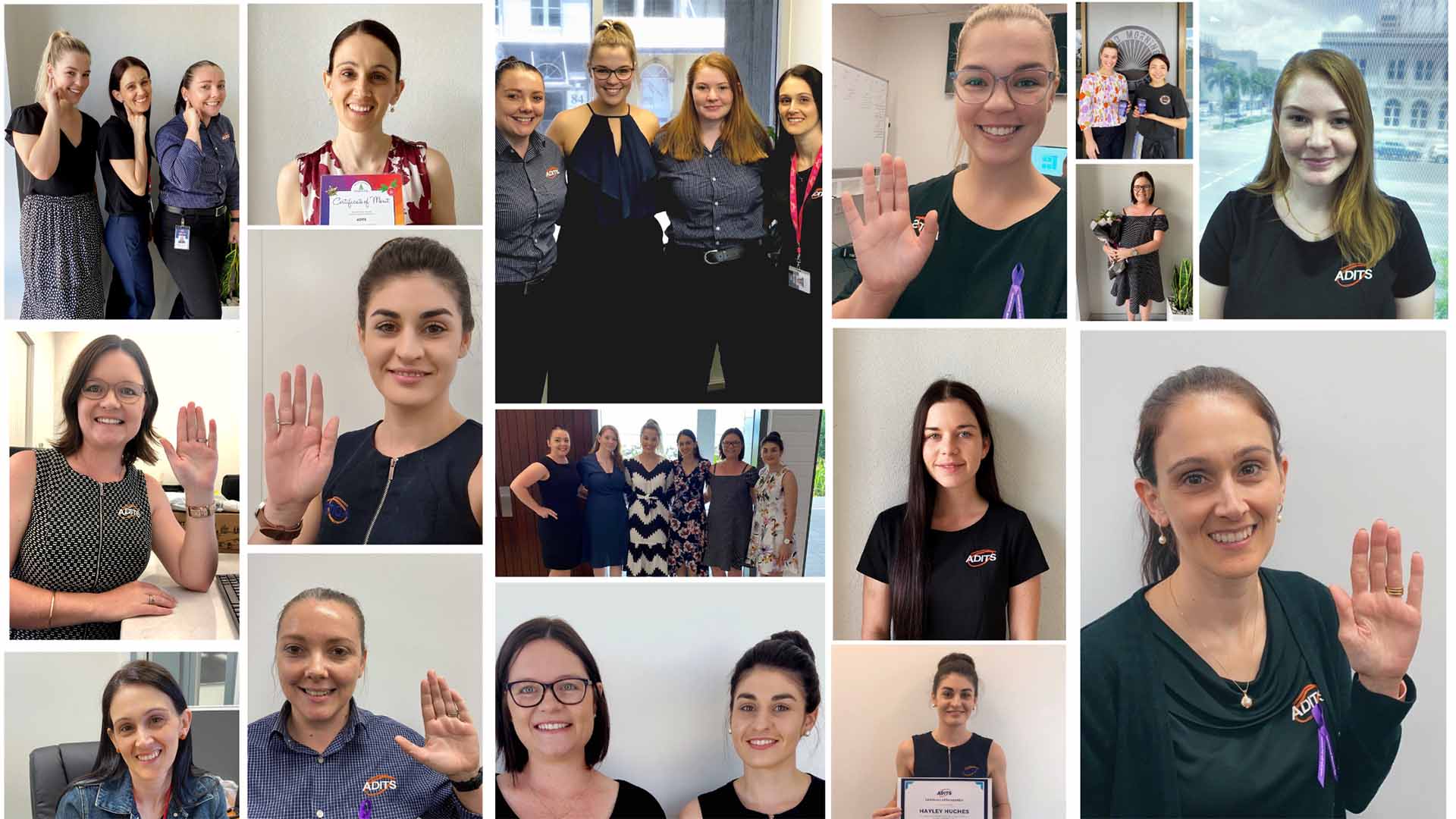
The theme for International Women’s Day is ‘Choose to Challenge.’ So what does this mean? What does this look like? We asked our women how they are #choosingtochallenge this International Women’s Day, in the hope that it inspires others to do the same.

Staci

Staci Yarrow – HR Manager

My journey with ADITS began nearly 12 years ago. It was a very small company with only two office staff and three technicians. When answering phone calls I would often get asked to be put through to one of the boys, as they presumed that as a female, I was not a Tech. It was back then that I always thought, how great it would be to one day have a female Tech that worked for our company. Fast forward to today and we currently have seven women at ADITS, three of which are in technical roles. As a mum of two boys, I will do my bit to ensure that the world they grow up in is one of equality, where professions don’t have a gender bias and they know that whatever path they choose to follow is fair and equal for all.

Dani

Dani Ryland-Lawson – Helpdesk Consultant

I am a gay woman in I.T., who is also a Mother and mature-aged  student at James Cook University. Juggling full-time work, study and being a Mum and Wife is definitely a challenge.
Working in a male dominated profession has it’s challenges and I will admit, it is definitely harder to get your foot in the door. But with hard work, determination and support from your family, you can push through the challenges and get to where you want to be.

Having a passion for Technology and the right mindset, I am continuously challenging myself to learn more and upskill. Here at ADITS, we are supplied with the resources and support network to be able to expand my knowledge and build my career in I.T.

Hayley

Hayley Hughes – Executive Assistant

This international women’s day I will choose to challenge the gender stereotypes that affect not just women but men as well, as I believe in addressing this issue in all areas.
No one should be told they cannot or should not do something, be addressed differently or be seen as more or less capable simply because of their gender. Just as women should be valued as equal in male dominated professions, men should be encouraged to pursue professions currently dominated by women, without the judgement of being “feminine”.

It’s this judgment that not only discourages men but also shows us that to be feminine is somehow wrong. It’s this way of thinking that needs to be changed and the only way we can create change and begin to eliminate stereotypes is if we continue to challenge and call out negative comments and behaviours that encourage the divide and hierarchy between men and women.
I hope that by choosing to challenge, we can normalise having men and women across all industries and one day no longer need these discussions around gender and the roles in which we are expected to follow to be considered right.

Mikayla

Mikayla Lovegrove – Helpdesk Consultant

I am choosing to challenge by being present and proving that as a female Consultant, I am just as skilled as my male colleagues. I’ve proven time and time again that when I am asked to speak to a Tech, and I respond saying I am one, that I’m just as capable of resolving any issues they have. Lots of people are shocked or taken back when myself and my Team say we are techs as well, so it’s nice to be able to prove with our skills that we can assist just as well.

Also ADITS supports women in all aspects, but going through a pregnancy has shown me that ADITS 100% takes pride in looking after their employees. Management have been so kind and flexible when I have urgent appointments that come up, and understand 100% that pregnancies have unexpected turns in them. I can’t talk highly enough about how easy ADITS has made it to go to appointments, and especially to take away the stress of worrying about job security during and after baby.

Helen

Helen Hager – Finance Manager

I would like to challenge the idea of gender equality in the workplace. I feel incredibly blessed to work for ADITS where I am supported by both the men and women of the Team. The entire ADITS Team is just that…. A Team! We all work together by combining our strengths and skillsets to achieve a main goal. We’re supportive, understanding and encouraging, which is truly rare to have in a fast paced work environment of this nature. I also love the opportunities for flexible working arrangements such as working from home. I’ve personally found this extremely beneficial as a mum of three boys and with a husband who works away. I challenge other businesses to create the ADITS environment in their workplace. The benefits speak for themselves and as the good old saying goes, “A happy worker is a hard worker”!

Shannon

Shannon Willcox – Marketing Manager

This International Women’s Day, I will choose to challenge my internal gender bias. Too often when I use analogies, I automatically assign those in male dominated career paths (E.g. Engineers, doctors, scientists) with male pronouns. This will have a direct impact on not only how I conduct myself, but also how I respond when recognising other’s gender bias. In my case, I am starting with the woman in the mirror, because if we all take a look at ourselves and make a change, then the world will be a better place.

Gabi

Gabrielle Lockwood – Helpdesk Consultant

I will choose to challenge all gender norms that come with working in the STEM industry. I am just as capable as anyone else in my role as a Helpdesk Consultant and my ability to find a solution or achieve results is not defined by my gender.

My career journey and trying to get my foot in the door came with a lot of snarky comments along the way, but nothing motivates me more. Time and time again I will prove myself to be just as capable as anyone else.

We hope that this acts as a catalyst to support women in careers in these industries.

Remember, if you’re looking for a career change, we’re always on the lookout for new, like-minded individuals to join our team in Brisbane, Townsville, and beyond. Visit our Join the Team page and fill out the form to get started!

Supporting Women in STEM

This year’s International Women’s Day theme is #choosetochallenge. This theme is about challenging societal norms, celebrating women’s achievements and supporting the creation of an inclusive world. At ADITS, we are collectively choosing to challenge by supporting women in STEM (Science, Technology, Engineering and Mathematics). 24% (7) of our workforce is female, which for the technology industry, is considered quite impressive. That’s why for the month of March, we are showcasing how we support women in STEM, to spark ideas for how you can do it too.

Helen-Story-Questions

Showcase our women in STEM

Making women in STEM visible is one of the visions of the Australian Government to create equal opportunity in STEM. Bringing awareness to the career opportunities that exist within STEM will empower women and girls to see a future for themselves in these fields. For example, this month, each of our women are taking over the stories feature on our socials platforms to share a day in their life. However, we continue to partake in initiatives year-round.

Equal-Opportunity-Employer

Equal Opportunity Employer

ADITS is an equal opportunity employer, meaning that we are committed to being a diverse and inclusive workplace that is representative of our audiences. This not only applicable to recruitment, but we make a conscious effort that all practices and processes within the workplace are respectful of a variety of voices, identities, backgrounds, experiences and perspectives.

We have also had our claims validated by external organisations. ADITS is a Great Place to Work Certified company, with 100% of our employees indicating that people here are treated fairly regardless of their gender.

Spread-the-word

Spread the word

Not only do we showcase our women on our own platforms, but we are open and inviting of other opportunities to promote our women in STEM. Recently, our Helpdesk Consultant, Mikayla, was interviewed by STEM Punks for their Future Learning Magazine, Women in Tech Edition. This was a great opportunity to provide their audience with an insight into life at ADITS and the lives of our women in Tech.

Encourage-education-and-development-opportunities

Encourage education and development opportunities

Of the seven women in our workplace, four are currently pursuing further external studies. As an organisation, we actively encourage our team to grow and develop continuously. While we often provide professional development opportunities internally, we recognise that external opportunities can be equally important. That’s why we support our women by being mindful of their additional commitments and offering flexibility, enabling us to achieve personal and workplace goals together. Whether in Brisbane, Townsville, or beyond, we’re proud to foster an environment that values growth and balance.


Working from home: Keep your Team Connected


After completing an audit on 2020, we have come to the conclusion that this version has a virus and we would like to uninstall it. I.T jokes aside, we are current living in a time of change and uncertainty, with many of our lives completely upended and many now working from home. For those that Scott Morrison (Scomo, for the ‘cool corporates’ of the world) calls ‘essential’, we continue to battle the 9 to 5 grind, with many of us working from home for the first time. Although grateful for the continued work, the unique circumstances can be hard to navigate, with the recommended isolation having side effects of loneliness. We are here to provide you with the top tips to support you and your employees in tackling working from home.

Maintain a work-life balance

Although the lack of commute is a welcomed benefit, it can be hard to switch into work mode when you don’t physically travel to work. We recommend setting up a designated workstation, utilising the same routine of ‘arriving’ and ‘leaving’ your office. You should support your employees in doing this, keeping work-related conversations inside of work hours.

Communication is key

Mass media speculation is making it difficult to sift through the facts and falsehoods of the current situation. To combat this, we have set up management meeting rhythms in line with those of the National Cabinet. Then, formal communication is distributed amongst our Team to ensure everyone is fully informed on the impact these changes will have.

Praise each other

Although we love a bit of self-confidence, high fiving yourself about an excellent spreadsheet just doesn’t feel the same… Validation and reassurance from your Manager or colleagues goes a long way. Be sure to continue checking in with your Team and letting them know they are appreciated.

Tech is your friend. Use it

The world is becoming smaller as the digital age continues to evolve; use this to your advantage. Do you usually have lunch as a team? Have after work drinks become a ritual? Is a chat over coffee compulsory? All rituals can still be completed through Microsoft Teams, Zoom, or whichever program you utilise in your workplace. Make time to take time with your Team; it will be appreciated, trust us. Whether you’re in Brisbane, Townsville, or beyond, make time to connect with your team; it will be appreciated—trust us!

We sincerely hope these tips help you to work from home with sanity.
Take care and stay safe.

Work from Home: Enhanced with IT

Hi – Joe Average here! The Tech Team at ADITS have been inundated with requests regarding their I.T. when working from home.  So take a seat, slap on the hand sany and get ready for my top tips on how I.T. can enhance your new work from home environment.

Communication & Social Connections

As an extreme extrovert, it saddens me that the only human interaction I’ve had this week was a horrified glare I received as I stifled a cough. In a time full of change and uncertainty, communication and connection is crucial. We recommend tools such as Microsoft Teams and Skype for Business to boost team morale and stay informed as you work from home.

Productivity & Accountability

Your home’s heat map may show a much greater frequency of trips to the pantry and couch, than to your desk. Maintaining productivity and holding yourself and your team accountable can be difficult, but not impossible. We recommend utilising tools such as Microsoft Planner or OneNote for goal setting and workday planning. We also recommend setting up boobytraps in the kitchen for those that are on the same ‘sea food’ diet as me…

Remote access and support

ADITS has been practicing social distancing since 2006 with our Helpdesk providing remote support to all customers, no matter whether you work from home, in the office, or around the world. Your IT advisor should also provide you with accessibility options on your device, ensuring a seamless transition between work environments.

Security

Working from home can be high risk, requiring a better security blanket than 100 rolls of toilet paper.  We recommend your trusted IT advisor provides you with a clear set of security practices, inclusive of password, virtual private networks (VPN’s) and device safety guidelines.

So, there you have it! My top tips on how IT can make working from home a breeze. For questions, concerns and smart remarks, call my knowledgeable tech mates at ADITS on 1300 361 984 or email at enquiries@adits.com.au. Whether you’re in Brisbane, Townsville, or beyond, we’re here to help!
Take care and stay safe, 
Cheers!

Working from home: Continue scaling your business

Coronavirus really is the talk of the town. The best way to describe how its antics have impacted upon business is change. Many employers are now working from home for the first time; many are no longer working at all. No matter how you have been impacted, we have listed a variety of ways that you can continue to grow your business in the current climate.

Upskill

The importance of technology and utilising online platforms is being realised now more than ever. This also means that some learning opportunities are now accessible online, which are usually only offered in a face-to-face format. It is important that decision makers take advantage of the opportunity to upskill both themselves and their employees whilst working from home. Remember, soft skills are just as important as hard skills and are often overlooked. This might be the time to change that.

Update

I can guarantee that there are processes in your business that haven’t been updated since dinosaurs roamed the Earth. Take advantage of the time you may now have and look for opportunities to improve.
Additionally, it can be predicted that the current climate will significantly change the way we work, with many now working from home. It is important to update what ‘normality’ will look like for your business and your employees on the other side of COVID-19.

Pivot

‘A pivot is a change in strategy, without a change in vision’ – Eric Ries. Look into opportunities to either expand your offering, update it, or change your offering completely. For example, YouTuber, Joe Wicks has pivoted to provide home-based workouts for children and seniors to keep people active whilst isolating. From this, he has seen 1.4million new subscribers in three weeks. Continue to adapt to change and align your offering with the current climate.

Plan

So often people are spending time working in their business and not on their business. Use the time that you may now have to do the latter. Processes taking too long? Streamline them. Not happy with the service from one of your providers? Find a better alternative. Take your plans off the back burner and get stuck in.

So there you have it: our top tips on growing your business in isolation. If I.T. changes are on the cards, we are only too happy to take it off your plate and support you in achieving your mission.